# Cura not merging for dual extrusion
**URL:** https://forum.lulzbot.com/t/cura-not-merging-for-dual-extrusion/3412
**Category:** Software
**Created:** [May 8, 2016, 2:02am UTC](https://forum.lulzbot.com/t/cura-not-merging-for-dual-extrusion/3412 "2016-05-08T02:02:10Z")
**Posts on this page:** 6
**Page:** 1
### Author:  [@kirispupis](https://forum.lulzbot.com/u/kirispupis)
#### Post date: [May 8, 2016, 2:02am UTC](https://forum.lulzbot.com/t/cura-not-merging-for-dual-extrusion/3412/1 "2016-05-08T02:02:10Z")
I just installed the dual extruder and have not been able to get the calibration squares to print correctly. I did the following.
- Installed Cura 19.12
- Set the extruder to the dual extruder v2 and flashed the firmware per the instructions
- Loaded the inner square first, then the outer square
- Left clicked on the inner square, then right clicked on the outer square and selected ‘dual extrusion merge’. I see a single square with the outside red and the inside green.
- Heated up both nozzles and the bed
- Clicked print
However instead of printing two enclosed squares - one in black and one in green, it printed two sets of enclosed squares apart from each other. Basically I see a square inside another square - twice - once in black and once in green. What am I doing wrong?
---
### Author:  [@kmanley57](https://forum.lulzbot.com/u/kmanley57)
#### Post date: [May 8, 2016, 2:28am UTC](https://forum.lulzbot.com/t/cura-not-merging-for-dual-extrusion/3412/2 "2016-05-08T02:28:27Z")
Did you remember to input the second extruder offsets into Cura before you tried to print the Calibration squares.
---
### Author:  [@kirispupis](https://forum.lulzbot.com/u/kirispupis)
#### Post date: [May 8, 2016, 4:49am UTC](https://forum.lulzbot.com/t/cura-not-merging-for-dual-extrusion/3412/3 "2016-05-08T04:49:39Z")
Thanks! It looks like the default y value was set to -50. When I set it to 50 then it worked.
---
### Author:  [@Rp1030](https://forum.lulzbot.com/u/Rp1030)
#### Post date: [May 9, 2016, 4:14am UTC](https://forum.lulzbot.com/t/cura-not-merging-for-dual-extrusion/3412/4 "2016-05-09T04:14:53Z")
I am having a problem as well. Something odd with my merge.
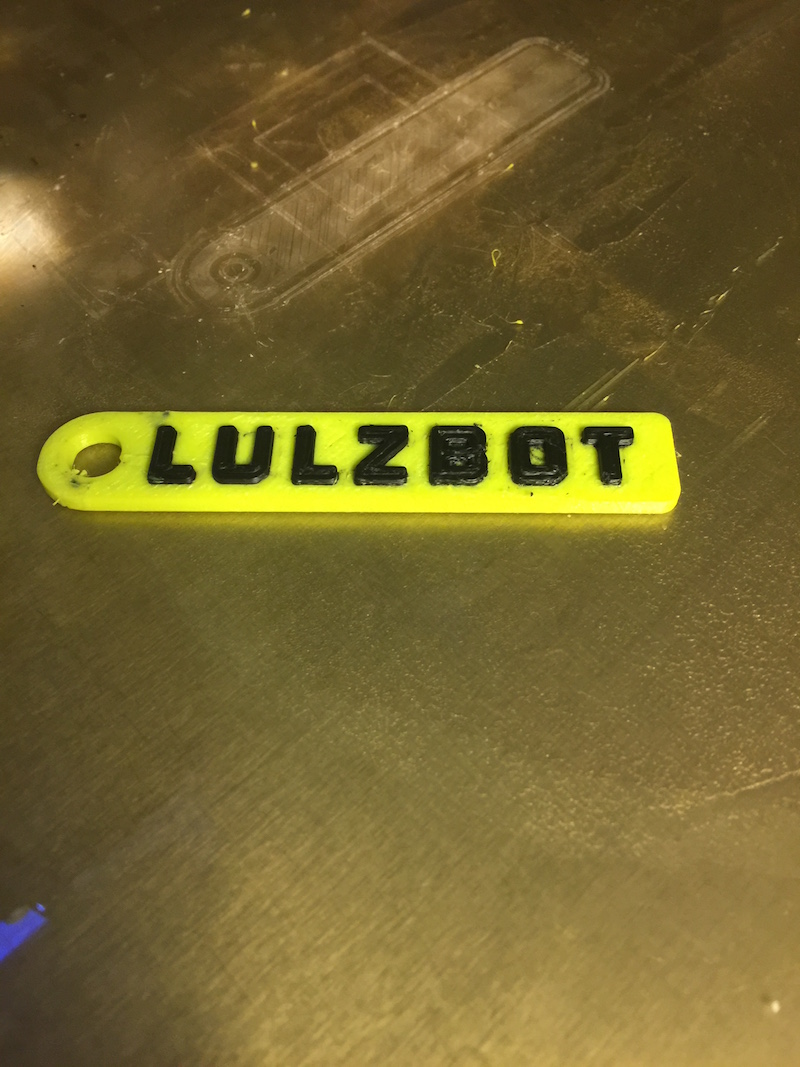
It only prints a one sided keychain, the keychain appears as it should in view mode, but Layers and the actual print are one sided.
edit: I just realized that this will only happen when ABS / Ninjaflex profile is selected.
edit after edit: I found out that Cutoff From Bottom is set to 2 in the ABS / Ninjaflex profile. Setting it to 0 like the rest of the profiles will fix this.

---
### Author:  [@nickthetait](https://forum.lulzbot.com/u/nickthetait)
#### Post date: [May 12, 2016, 7:00pm UTC](https://forum.lulzbot.com/t/cura-not-merging-for-dual-extrusion/3412/5 "2016-05-12T19:00:50Z")
Thanks for reporting back your findings Rp1030, I’ve fixed that profile. Next release of Cura LE should not have that problem.
---
### Author:  [@mike.stanley](https://forum.lulzbot.com/u/mike.stanley)
#### Post date: [May 22, 2016, 7:33pm UTC](https://forum.lulzbot.com/t/cura-not-merging-for-dual-extrusion/3412/6 "2016-05-22T19:33:59Z")
thank you! this was driving me nuts!