Yeah, Notepad++ is great. I work as a SysOp so i use it pretty regularly myself.
I’ve run some tests over the course of the evening using the compiled suggestions. Repeated measurements of the filament still give me between 2.8mm and 2.9 for the most part, so I’m sticking with 2.85mm for the diameter. I’ve reduced the Initial Layer Line Width to 100 which did help the squashing, but also caused some inconsistent initial lines that were tough to clean off the bed. I’ve found that about 115 is a good setting here. I’m testing the Flow Percentage now. I’ve been printing several duplicate parts with flat sides on the top, so I’m running one of those with 98% flow to compare. So far, what the posts have identified as over-extrusion doesn’t appear any better, but I’ll reserve judgment until the part is complete. I can also still hear quite a ruckus as the print nozzle travels perpendicular across previously laid down layers. I’ll see how it turns out and fiddle with the fill rate some more. After that, it may be time to make more severe adjustments.
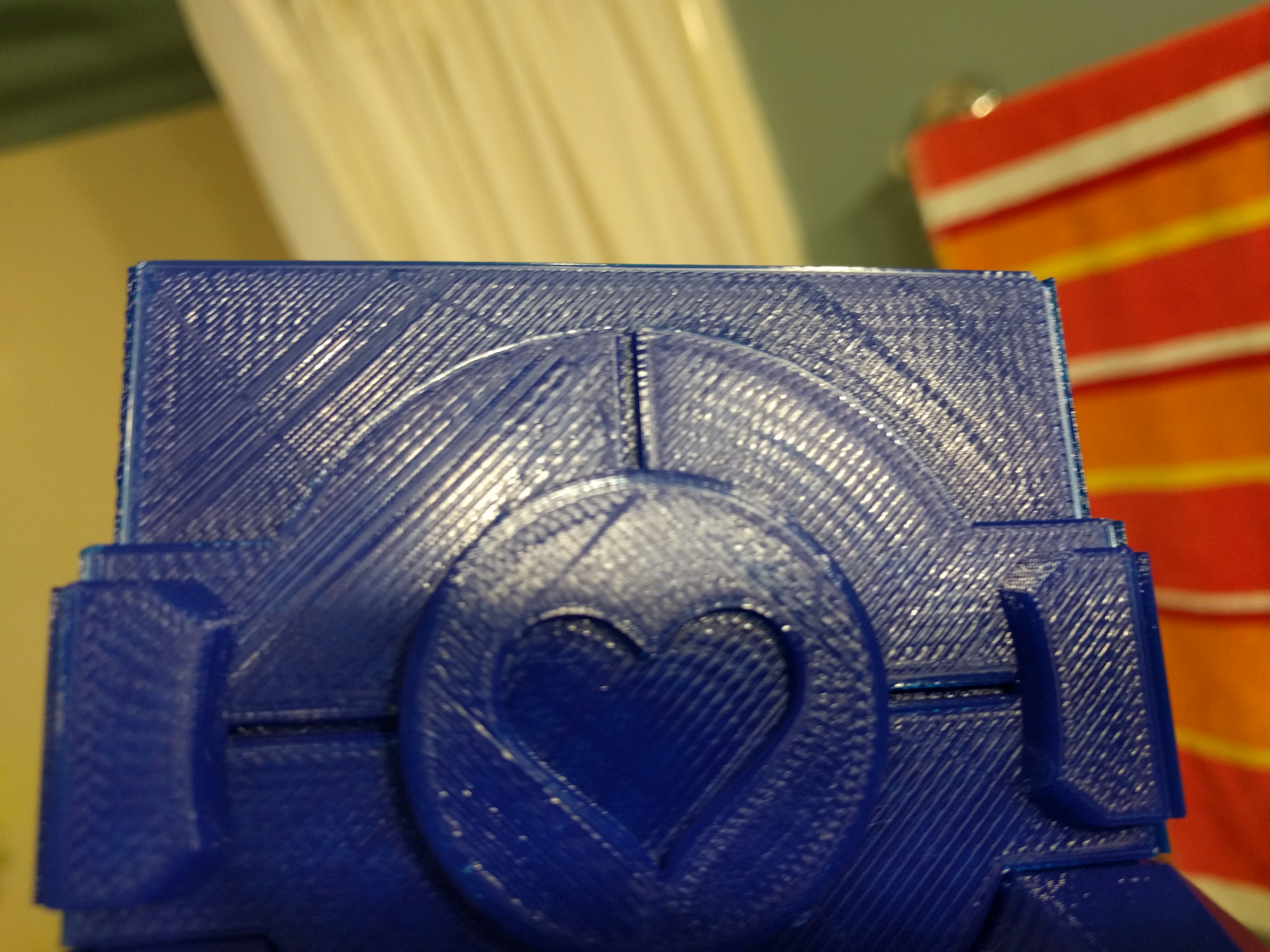
Well, this is surprising. Despite the filament consistent measuring in the 2.85 range, adjusting the diameter in the Cura software absolutely improved my surface quality. I popped in 2.90mm per Rhoderman’s suggestion, and as you can see below, the surface is much improved. I think there’s still some room for improvement, but then I don’t have a huge basis for comparison as to what reasonable “off-the-bed” surface quality can be. Thanks again to everyone for their advice and help. Still open to further suggestions, but for now I’m pleased with the results I’m getting. And my daughter is pleased with the progress on this Companion Cube Box.
Heck, give 2.95 a shot. Maybe try that on your test cube first to see how it works.
What are you measuring with? I am using Mitutoyo digital 6" calipers.
You can just leave the filament diameter where it was at 2.85 which I find most eSun 3.0 filament runs and change the extrusion rate %. Its been so long since I used Cura I can’t remember where its located, on what screen. On Simplify 3D its called Extrusion Multiplier and its the first screen. Either way whatever works for you.