Edit: I updated the title in the hopes that this thread chronicling what I have learned in the first week I have owned the Lulzbot Mini might be of help to other newbies who get frustrated and are not sure what to do.
The TL;DR of it is don’t buy cheap filament and expect much from it, don’t implicitly trust the manufacturer’s temperature ratings, don’t restrict yourself to just the Lulzbot forums for troubleshooting tips - there’s lots of stuff that applies to all (or at least most) 3D printers, don’t give up.
I just bought a Lulzbot Mini from MicroCenter yesterday. It is my first 3D printer. I was really impressed with the sample HIPS that came with the printer, the “Roctopus” printed perfectly.

Not wanting to waste the remainder of filament, I printed the included Open Hardware Logo key chain and a wire frame polyhedron I downloaded. Both printed reasonably well. Both broke easily due to model design flaws.
Once I used up the last 14 inches of HIPS, I followed the provided instructions for loading the Inland (MicroCenter’s house brand) PLA. The label on the spool does say “Made in China” so I didn’t expect much. It was the only thing they had in stock other than ABS that was 3mm. I wanted to see just what this printer was capable of, so the first thing I tried to print with the PLA using the provided beginner high quality settings was this model: http://www.thingiverse.com/thing:1363023. It was terrible.

First of all, the nozzle had accumulated and was dragging a blob of plastic for the first five layers or so. Strings of filament were bridging between the spike and the half dome. Most of the thin walls simply aren’t there. No small details are even present - text, the slots on the edge, etc. The half dome, all the bridging and overhang tests printed wonderfully, to my surprise. I started reading the documentation and found that the included 0.5mm nozzle size might be to blame for the lack of small details. The model had parts that were meant to be measured to two decimal places! Okay fine, don’t expect any higher precision than half a millimeter, which should be more than enough for anything I will want to do in the near future.
I also noticed that the filament would just start dropping out of the nozzle while the printer was idle and at printing temperature. I modified these settings based on what I read in forums to rectify the over extrusion and oozing problems: Filament Diameter: 2.9 (based on actual measurements), Retraction Speed: 15, Retraction Distance: 2mm, Hot End Temperature: 203. That seems to have stopped the oozing and stringing for the most part.
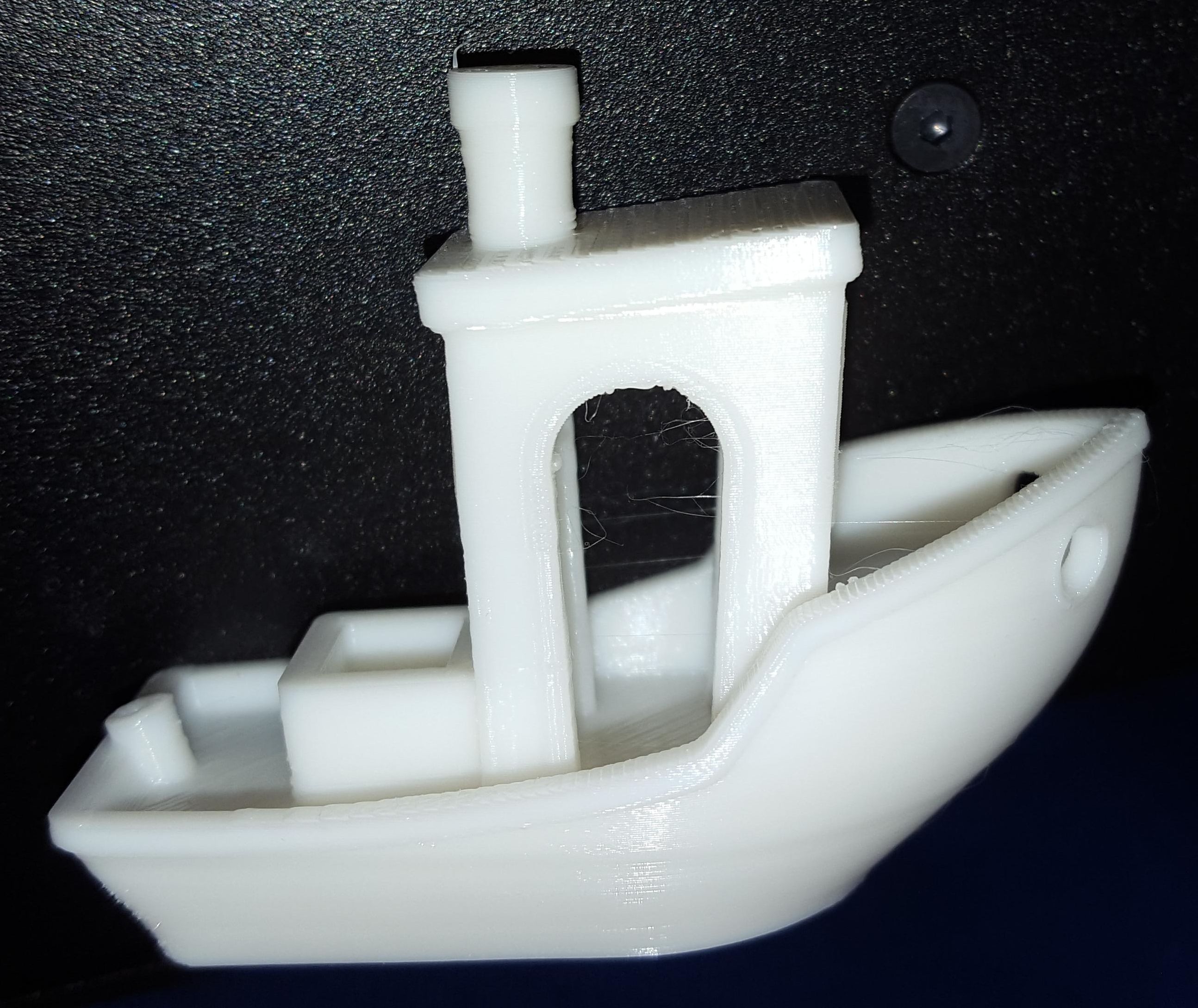
With the new settings, I printed 3DBenchy http://www.thingiverse.com/thing:763622 next. It printed beautifully.

I know there are probably printers out there that are capable of printing in the high precision required for the first PLA model I printed, and I don’t expect that from the Mini. I’m just trying to figure out what I should expect from this printer.
So my question is this: Is there an established benchmark model, something that would be used for dialing in settings for new filaments and troubleshooting, that the Lulzbot Mini - as it is out of the box - should be able to print in any compatible filament type? Maybe even something specifically tailored to the Mini’s capabilities?