I have a Taz 6 using the HS 1.2mm Tool Head. At the start of a print via Octoprint, sliced with the latest Cura LE, fails after a few moments for loss of communication. It gets as far as moving the axis.
No response from printer after 6 consecutive communication timeouts, considering it dead. Configure long running commands or increase communication timeout if that happens regularly on specific commands or long moves. Changing monitoring state from “Printing” to “Offline after error” Connection closed, closing down monitor
So I sliced the file to SD card and it is beeping at the start of the print as well after moving the axis.
I even connected a USB cable to the PC and tried to print from USB. Same!
I have the current firmware and made sure the correct print head was selected.
Exact version numbers for the firmware, OctoPrint, CuraLE, host OS will help us to make sure our definition of latest and your definition of latest are the same. Additional details on the hardware involved as well.
I’m not faulting Octoprint since this happens with every means to print. SD Card. USB Cable from PC. USB from Octoprint.
The machine kept disconnecting from Octoprint repeatedly.
I’m stumped - this thing was printing without any issues a few weeks ago. Only change is the updated Cura. But that doesn’t explain connection issue in Octoprint? (I also tried a different USB cable)
Start gcode is stock Taz6 HS+ 1.20mm profile
;This G-Code has been generated specifically for the {machine_name}
;The following lines can be uncommented for printer specific fine tuning ;More information can be found at Gcode | Marlin Firmware ; ;M92 E420 ;Set Axis Steps-per-unit ;M301 P21.0 I1.78 D61.93 ;Set Hotend PID ;M906 E160 ;Digipot Motor Current ((875mA-750)/5+135) = 160 ;M206 Y0 ;Set Home Offsets (default:0) ; M73 P0 ; clear GLCD progress bar M75 ; start GLCD timer G26 ; clear potential ‘probe fail’ condition M107 ; disable fans M420 S0 ; disable leveling matrix M900 K{linear_advance} ; set linear advance G90 ; absolute positioning M82 ; set extruder to absolute mode G92 E0 ; set extruder position to 0 M140 S{material_bed_temperature_layer_0} ; start bed heating up G28 XY ; home X and Y G1 X-19 Y258 F1000 ; move to safe homing position M109 R{material_soften_temperature} ; soften filament before homing Z G28 Z ; home Z G1 E-15 F100 ; retract filament M109 R{material_wipe_temperature} ; wait for extruder to reach wiping temp ;M206 X0 Y0 Z0 ; uncomment to adjust wipe position (+X ~ nozzle moves left)(+Y ~ nozzle moves forward)(+Z ~ nozzle moves down) G12 ; wiping sequence M206 X0 Y0 Z0 ; reseting stock nozzle position ### CAUTION: changing this line can affect print quality ### M109 R{material_probe_temperature} ; wait for extruder to reach probe temp G1 X-10 Y293 F4000 ; move above first probe point M204 S100 ; set probing acceleration G29 ; start auto-leveling sequence M420 S1 ; enable leveling matrix M204 S500 ; restore standard acceleration G1 X0 Y0 Z15 F5000 ; move up off last probe point G4 S1 ; pause M400 ; wait for moves to finish M117 Heating… ; progress indicator message on LCD M109 R{material_print_temperature_layer_0} ; wait for extruder to reach printing temp M190 R{material_bed_temperature_layer_0} ; wait for bed to reach printing temp G1 Z2 E0 F75 ; prime tiny bit of filament into the nozzle M117 TAZ 6 Printing… ; progress indicator message on LCD ;Start G-Code End
Bizarre. I am looking at your video and it definitely starts to heat up the bed and the nozzle, so we know it got past the M109 but I don’t see anything resembling a z homing so I would think the G28 Z isn’t completing.
I’ve read where sometimes these would beep if the SD card was wonky, but it is doing it with the card in or out.
Also, scroll up and note the weird connection disconnects from the terminal window in Octoprint.
Everything was working great up til recently.
I’m curious what others think? Should I re-flash the firmware via Cura?
My electronics brain thinks something is up with the board. But, doing all sorts of X, Y Z and auto homing, everything checks out. The printer hasn’t been moved around, so no wires got tugged loose or anything. I checked around for that.
I’m just waiting for random forum user to pop in and say “it’s this” simple thing that fixes it all
So what happens when it reaches temp (if it does) and it’s still beeping?
The G1 X-19 Y258 F1000 command should be taking it to nearly the back of the build plate, but when that command is issued, it looks like it’s trying to move to the center. Could just be the angle, but it looks like it’s moving too far.
The M109 R180 command is a “wait for temp” command. It’s not reaching that temp, so it’s never getting past it, but it starts to heat up, so we know it’s reached it. No movements will be attempted until that temperature is reached. That means that it’s the previous execution of the G1 X-19 Y258 F1000 command that is failing.
Reboot the machine, then manually send the G28 XY and G1 X-19 Y258 F1000 commands. If those execute normally.
With so much pointing at the Y axis, I’d be inclined to say stepper driver error or just bad board. Either way it’s a board replacement that’s required.
I’ll try those commands via Octoprint’s Terminal window.
I’m hoping it isn’t the board. If I were to replace that, I would be tempted to jump into a quieter board. But I worry I would loose the ability to quickly change tool heads, etc as I can now being a ‘stock’ Taz 6.
The fact my connection keeps dumping with Octoprint has me a bit intrigued about the board, too.
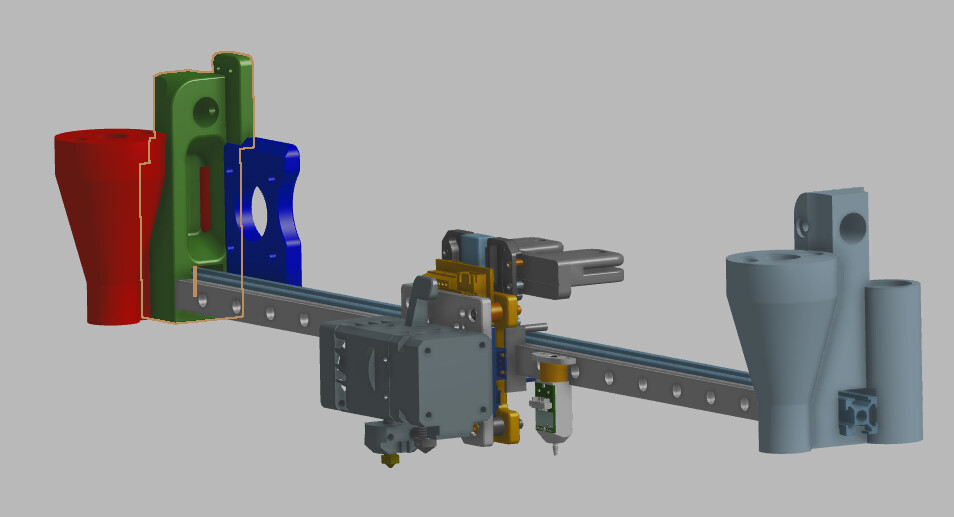
The quick toolhead change in the stock firmware is just a custom menu with gcode commands to set default PID settings, nozzle x/y offsets, esteps and motor current. It’s easy to replicate - I’ve done it on my “Taz 6” that’s running on an Octopus 1.1 board. To make toolhead changes even easier, I’m finalizing my linear rail replacement that holds the Hermit Crab quick change plates. I’m waiting on a replacement board for my little Voron so in case I need to print anything during the change I’m not having to backtrack and rebuild the Taz just to make an adapter piece if needed.
I do need to figure out a good mounting system for the ABL also.
The reason I bring up the Hermit Crab, is that it includes a wire set for the toolhead that eliminates a significant amount of the required wire extensions when swapping to a SKR or Octopus board in the Taz 6, combined with the one-handed toolchange, it’s well worth the $80 (when on sale) cost of the 3-toolplate kit. And since it bolts up to a linear rail so easily, I figured, might as well do that too.
I looked up the price for a replacement board and at $250, I was a bit disappointed. I get the machine is a 2016 era 3D printer but I have 20+ machines at my home print lab and replacing boards with modern BTT SKR boards and LCDs cost me less than $100. (I have many CR-10 style machines I’ve done that upgrade with. The most expensive has been the Wham Bam bed systems and Bondtech / Slice Engineering direct drive / Mosquito hot ends.)
I’ll try your suggestions mentioned early when I get home from work.
Do you think flashing the firmware again is worth a shot?
No response from printer after 3 consecutive communication timeouts, considering it dead. Configure long running commands or increase communication timeout if that happens regularly on specific commands or long moves.
Changing monitoring state from “Operational” to “Offline after error”
Connection closed, closing down monitor