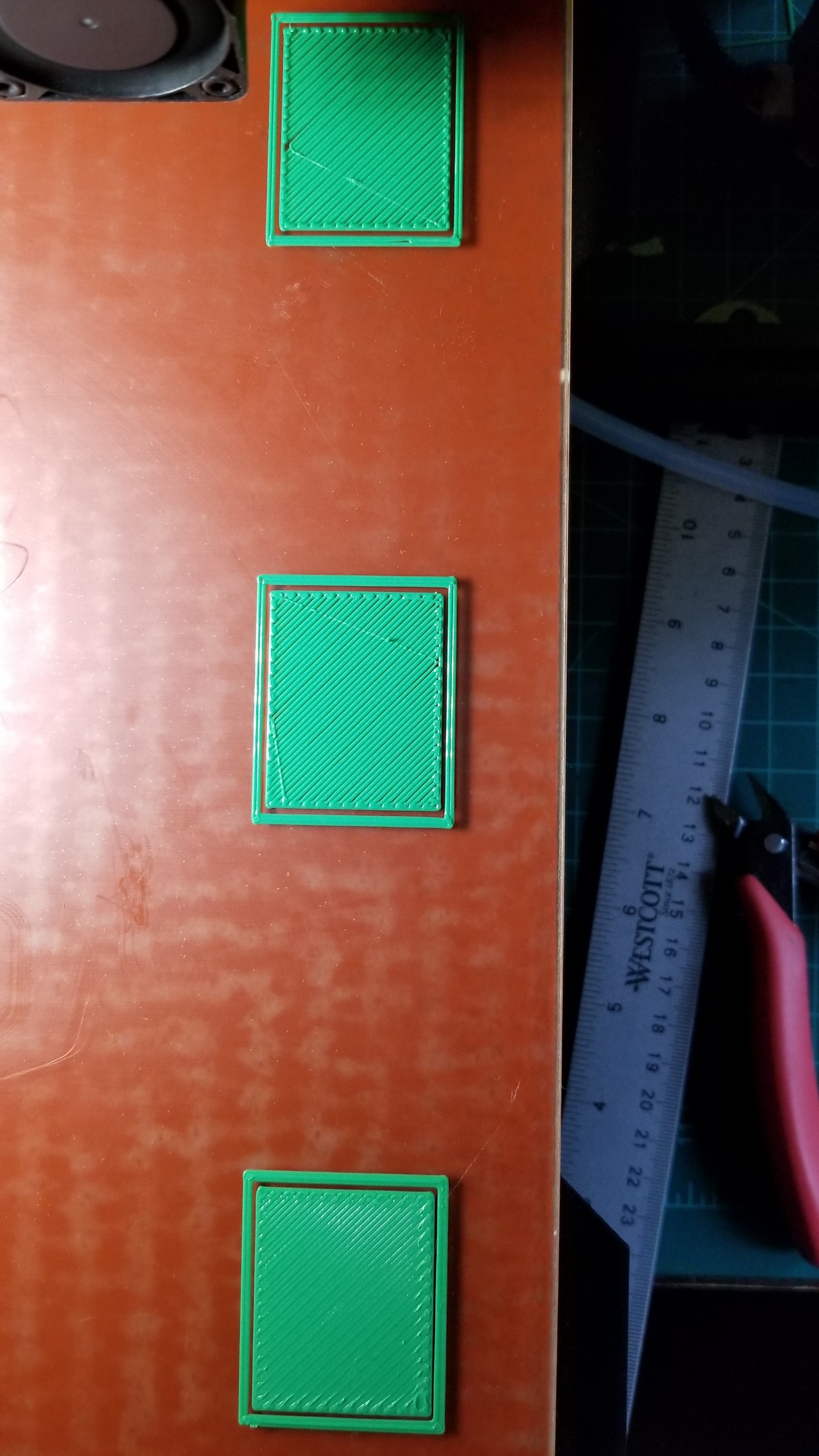
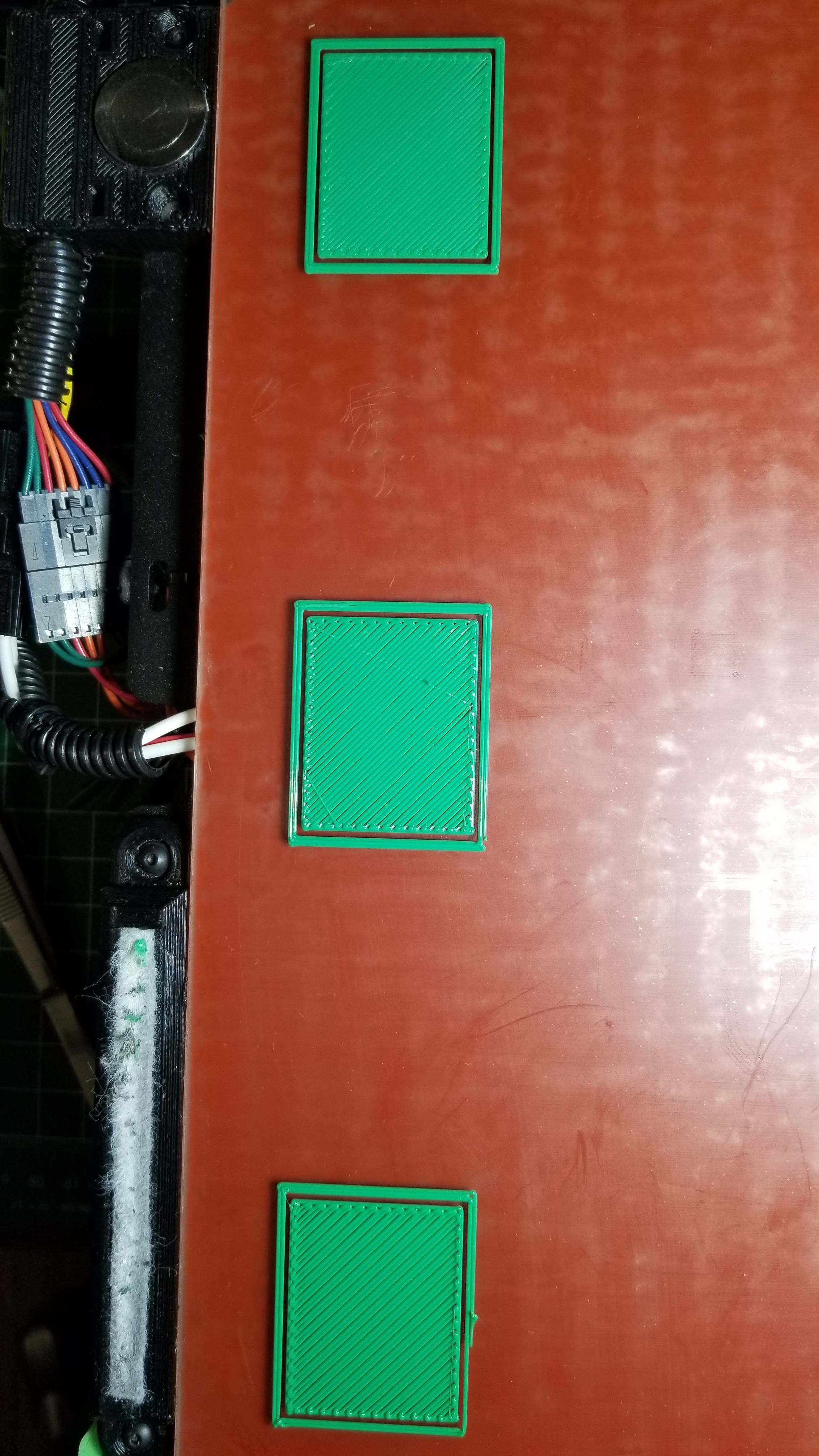
1.1.5.12
Z Offset: -0.311
All photos are bottom(front of bed), middle, top(rear of bed)

Left

Middle

Right
Bed_Levelling_squares.stl (19.4 KB)
Bed_Levelling.gcode (64.7 KB)
1.1.5.12
Z Offset: -0.311
All photos are bottom(front of bed), middle, top(rear of bed)
firmware 1.0.2.22
Z Offzet: -1.611
All photos are bottom(front of bed), middle, top(rear of bed)
firmware 1.0.2.22
Z Offzet: -1.461 (my factory was -1.361)
All photos are bottom(front of bed), middle, top(rear of bed)
This looks the best so far in my opinion. However this gcode was generated in Cura 21.04. Where a higher zoffset is made possible by both initial layer height (.450) and initial line width (170%) in combination. In newer beta Cura only initial layer height is available, so I was loosing bed adhesion on 1st layer. Had to go to a lower z height offset to compensate… which seems to expose failures in bed leveling accuracy, in either firmware. I still feel older firmware looks better.
I know its not PC to bring up other manufacturers, but I’m going to do it anyway. The prusa mk2s checks if you built your printer correctly. In the Calibration menu you have selftest and Calibrate XYZ, and Bed level correction, PID calibration and MORE.
So calibrate XYZ tells you if the print bed and z gantry are perfectly perpendicular, and if it picks up all 9 test points on the print bed. This is key to knowing if your machine is built right, from factory or self built. Its actually a point of pride in the prusa community to have a self built machine get the perfectly perpendicular result. But it eliminates the build from the equation of troubleshooting print problems. I understand Lulzbot builds all your printers. But shipping and users can mess up alignment. Its great to have firmware check build and pass or fail.
Now even after you know your machine is built right and you have a nice zheight offset, you print out a calibration stl that prints a series of squares like the photos above, all around the print bed. If any are closer or farther away from nozzle you can go in to “bed level correction” and adjust the different parts of the print bed:
Left
Right
Front
Rear
independently by a few units. Then do a reprint to test if the adjustment helped. The results are first layers that are simply awesome around the whole print bed. I feel like we need that here. After auto leveling the rear left of my print bed must be higher. If I could adjust the nozzle slightly up when printing in that area, it would fix my issue.
Seems like my only options are to try and figure out why rear left is higher mechanically and to use z offsets that are farther away from the print bed, to mask bed level inaccuracy. Which makes greater initial layer height and initial line width in combination a must have feature of new Cura. (Feature readded in Cura2.7)
Found the error I saw last night.
Flashed new firmware.
Adjusted z offset
changed esteps
saved
Connected usb back to Octoprint.
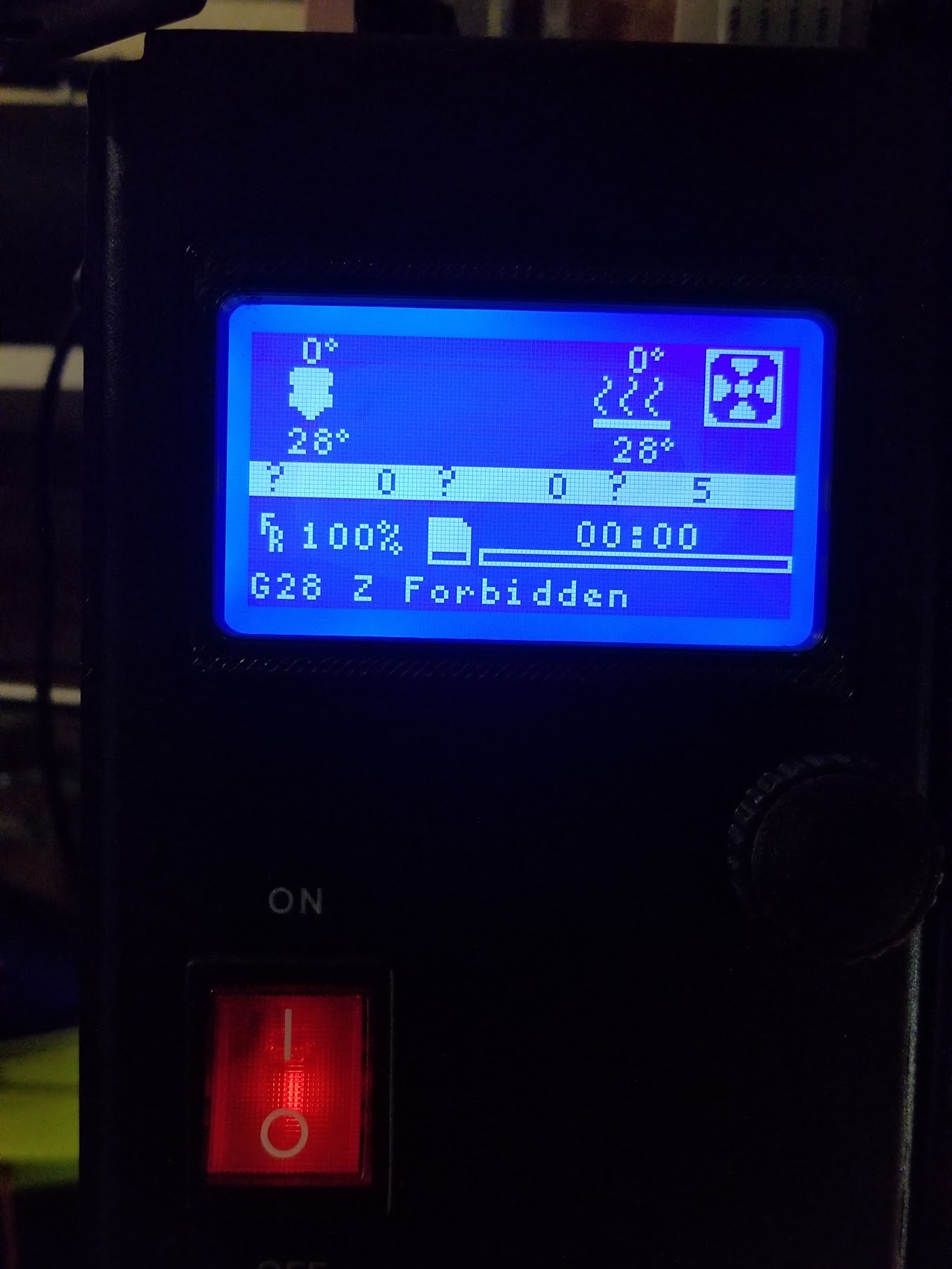
Hit Home Z in Octoprint
Got - G28 Z Forbibben
Firmware 1.1.5.12
Zoffset: -0.061
All photos are bottom(front of bed), middle, top(rear of bed)
In an effort to find a zoffset that worked for the rear left, I’m now throwing the front zoffset too far from the nozzle. The filament actually has a chance to spiral b4 it hits the print bed (front left). And rear left is still not acceptable. Less squished but not ideal. Seems like its one or the other with this firmware or go back to old firmware. I can’t find a happy medium. Adjusting for rear throws off front level. -0.061 is an extreme offset for the front. What’s puzzling is the hardware is the same, only firmware is changing.
I’m not a software engineer but seems like the bed leveling algorithm or calculation is off. The 3 point calculation may describe a plane but perhaps there is an error in the math?
Old firmware, zoffset -1.461, old Cura with initial layer height and initial line width for the win.
This is for the Taz 6 I believe. You said you were also working on a version for the Taz 5, do you have a repo I can clone? I’m planning on adding a BLtouch and would like to work from the latest test build if possible.
::Update::
After actually looking at the files I found out that this is a flexible install, which is pretty awesome tbh. I’ve edited the lines in Configuration_Lulzbot.h so I’m set there.
Now I just need to figure out how to set up mesh leveling with the Bltouch. I have enabled the Bltouch in Configuration.h but I need to do more research to figure out everything else.
Ah. I had never seen this error before, but yes, it a safety precaution. If Z homes first, the nozzle would potentially miss the button and damage something.
– Marcio
Nuroo,
A couple things, first, try out Firmware 1.1.5.15. It turns out that the PWM frequency for the cooling fan was too high and there is a possibility that the fan was not running properly. I also spend a bunch of time scoping the various other PWM fan and heat controls and tuning them so they were being driven at exactly as the same frequency as earlier FWs. I’m not saying it will fix the problem, but since cooling affects print quality quite a bit, I recommend retesting with 1.1.5.15 and seeing if it changes your results.
If you still believe leveling is at fault, you can re-enable four-point leveling by editing “Marlin/Conditional_LulzBot.h” and change the lines:
// Select type of leveling to use:
//#define LULZBOT_AUTO_BED_LEVELING_BILINEAR
#define LULZBOT_AUTO_BED_LEVELING_3POINT
To:
// Select type of leveling to use:
#define LULZBOT_AUTO_BED_LEVELING_BILINEAR
//#define LULZBOT_AUTO_BED_LEVELING_3POINT
That said, I printed several test prints using the new firmware and I personally did not see a difference. YMMV.
– Marcio
Marcio,
I would love to have the new features of 1.1.5.x and 4 point bed leveling, if only to compare. But i’ll need to compile the firmware myself? b4 i downloaded hex and updated in Cura. Is there a guide?
Mrvanes,
The reason I won’t do this is because we would need to retest all our profiles and we are trying to get new FW finalized for our upcoming products. Just because Marlin claims that setting K=0 reverts to the default behavior, I would not count on it. So for now, this setting will remain off in our builds. But we provide the source code so you can compile a custom version if you so desire.
BTW, 1.1.5.15 will make your Mini run quieter, if you want to give it a try.
– Marcio
Just this once, I’ve attached two firmware files for you to compare…
Marlin_Mini_SingleExtruder_Three_Point_Leveling_1.1.5.15_324c87767.hex.txt (211 KB)
Marlin_Mini_SingleExtruder_1.1.5.15_four_point_leveling_324c87767.hex.txt (217 KB)
For the TAZ 6…
Marlin_TAZ6_SingleExtruder_three_point_leveling_1.1.5.15_324c87767.hex.txt (400 KB)
Marlin_TAZ6_SingleExtruder_1.1.5.15a_four_point_leveling_324c87767.hex.txt (407 KB)
I have Taz6, firmware says MINI?
See above. I caught my mistake and reposted 
Marlin_TAZ6_SingleExtruder_1.1.5.15a_four_point_leveling_324c87767.hex
(Probes out of order, as mentioned ------ but works so who cares)
Im still adjusting to find a good z offset. But problem solved.
Even with this preliminary z offset (-1.100) which is too high. Started high just incase problems. All of the squares are same squish, even the rear left.

< Setting Print and Travel Acceleration: 100.00
< ok N42 P3 B2
< Bilinear Leveling Grid:
<       0      1
<
0 -0.051 +1.524
<  1 +0.799 +0.806
< X:288.00 Y:289.00 Z:6.15 E:-20.00 Count X:28944 Y:29045 Z:11130
< ok N43 P15 B1
< Setting Print and Travel Acceleration: 500.00
< ok N44 P15 B2
< ok N45 P14 B3
< ok N46 P15 B1
< ok N47 P15 B1
< ok N48 P15 B2
< ok N49 P15 B3
I remember it used to give you the deviation (which turns out was ok after all) of your build plate in the console after it probed the points. But this is now better leveled then old firmware. Impressive !
Guya this might be a stupid question, but. how do ypu download the firmware from here?
https://code.alephobjects.com/diffusion/MARLIN/browse/devel/
I’m looking for a file that i can modify and enable g29 though