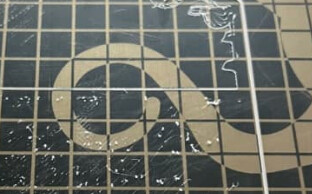
After you get the filament jam, are you cleaning the teeth of the hob wheel? That’s what the white handled wire brush that comes in the tool kit is for.
Yes - reasonable question because that would certainly cause a problem if it’s not cleaned out. Any time I recover these from grinding up filament I use that brush to completely clean the wheel all the way around. I tossed that picture in just to show what it looks like when I find them in this state.
Long shot, but do you by chance have the extruder acceleration or extruder feed rates set to something crazy high? And your retraction speed set too high? So much so, that at some point a retraction will instead gouge the filament leading to a complete loss of extrusion? I don’t know, all it takes is one bad grip of the filament to gouge it and then it’s all over. This happening on all your printers leads me to believe it’s something in your slicer settings. It HAS to move that filament just the right speed or else it will gouge it and ruin your day.
I honestly don’t think it needs any tension, or barely any added tension, from the idler spring. You can completely remove all the tension from that thing and it will still grip the filament quite well.
You might have to take apart the tool head. It’s something you’ll have to get used to doing with these Titan Aeros - four screws for the fan and another four screws for the heatsink. Check that darn plastic plastic filament guide - it’s basically just wide enough for the filament and it very prone to getting blocked. Like when changing filament.
The other thing I noticed when I went upthread and re-read everything, is the use of Polymaker filament. We stopped selling Chinese filament years ago due to quality issues, one roll would be fine and the next was terrible. Tom Martzall at Taulman 3D told me on the phone once that they use “floor sweepings” over there. After meeting their sales crew at the RMRRF this past spring, we almost became Polymaker resellers - until I did my research and discovered that it was Chinese filament. Right now we only sell American-made filament, except for Colorfabb, which is made in the Netherlands and is also very high quality.
Can of compressed air works best, I think. While rotating the extruder one complete revolution.
1 Like
Good thoughts, but no, no modifications to acceleration, feed rate, or retraction settings, just standard profile for this material.
Interesting about little to no tension on the idler knob / spring, I’ll try that and see if it helps. Seems like the PLA is just getting soft and chewed up somehow, maybe it just doesn’t want any tension at all.
Yes I’m well-practiced in taking these apart - not too bad, but happens often enough because users mess up filament changes and it gets stuck in that guide tube. Any easy modifications that have been helpful?
Hm, I guess I could try completely swapping material and see if that helps. Any favorite PLA?
What I would do if this were my printer, would be to completely clean the hob gear and then reload filament using the marlin menu. I would extrude at least 100mm and examine the hob gear to make sure it’s not grinding already. I’d then print a 100x100x1 object and again stare at the hob gear to catch the moment it starts grinding. My guess is the second it starts retracting is when it happens.
1 Like
At the risk of derailing a productive discussion focussed on the tool-head, I wonder about the filament feed path TO the toolhead.
Specifically, how hard does the toolhead need to work to pull the filament down?
I experienced a host of feed-related issues with my elderly TAZ-6 after I replaced the tube from the spool holder to the toolhead – apparently the tube I purchased was not well-suited to the task, and added enough friction that pulling in certain types of filament became very difficult for the machine.
All was well when I removed the tube altogether and mounted the spool above the TAZ. I also use a dry-box which requires the tube, but I made sure to purchase PTFE tubing for that one, which seems to add a lot less friction.
Apologies if this is obvious to everyone - it wasn’t to me!
1 Like
Good thought, I should try something like that. Really sitting and observing it is a great way to get to the bottom of this kind of issue, I just usually can’t because either 1) my job demands me to be doing something else for 10 hours or 2) I’m coming to fix a printer that’s already done this and so I’m trying to play forensic scientist to see what could have caused it. But yes when I get the time this is the right move.
Hm, interesting idea - potentially not about pressure between the nozzle and the hobbed wheel, but instead an issue pulling it… Our PTFE guide tubes seem ok and when I manually pull the filament, it doesn’t seem that hard, but I see how this could be contributing. I also do wonder about removing the guide tube completely, but not sure if that will hurt or help.
We typically get the 3kg spools of filament because we always have issues using the end of a spool, so the larger ones produce less waste. But I wonder if the larger spool size is making it harder to rotate. Anybody have experience where a 1kg spool works fine but 3kg spools cause problems?
Any hacks or simple mods to the spool arm setup to make it easier to rotate? We don’t do the overhead spool setup because we have the tents on all the printers.
…lol as I’m writing this reply, I get an email from MatterHackers telling me about their 5 and 10 pound spools of PLA, claiming they can work great on every 3D printer. Makes me wonder if the spool size does contribute.
We sell several made-in-USA brands. Toner Plastic custom makes our American 3D Printing brand private label, we’ve been using theirs for about 10 years. We also sell Makeshaper, Keene Village Plastic, Push Plastic, and Proto-Pasta PLA. As I mentioned above, we also sell Colorfabb, which is made in the Netherlands.
The polyethylene feed tube is necessary for machines that hold the spool from the side. Machines that hold it above such as the Lulzbot Mini and Mini 2 don’t need one.
We’ve never had any issues with 5lb spools versus 1kg spools. As far as filament running out, it is easy to measure an empty spool for tare and then measure the partial spool to calculate how much is left, and of course Cura will estimate how much is required for a given build.
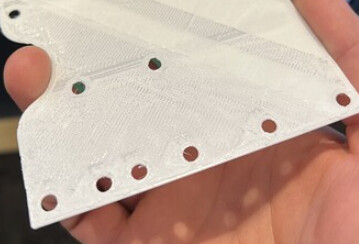
You could make something like the image below to help reduce the drag from the weight of the spool on the spool arm (assuming of course you could get it to build without jamming) 
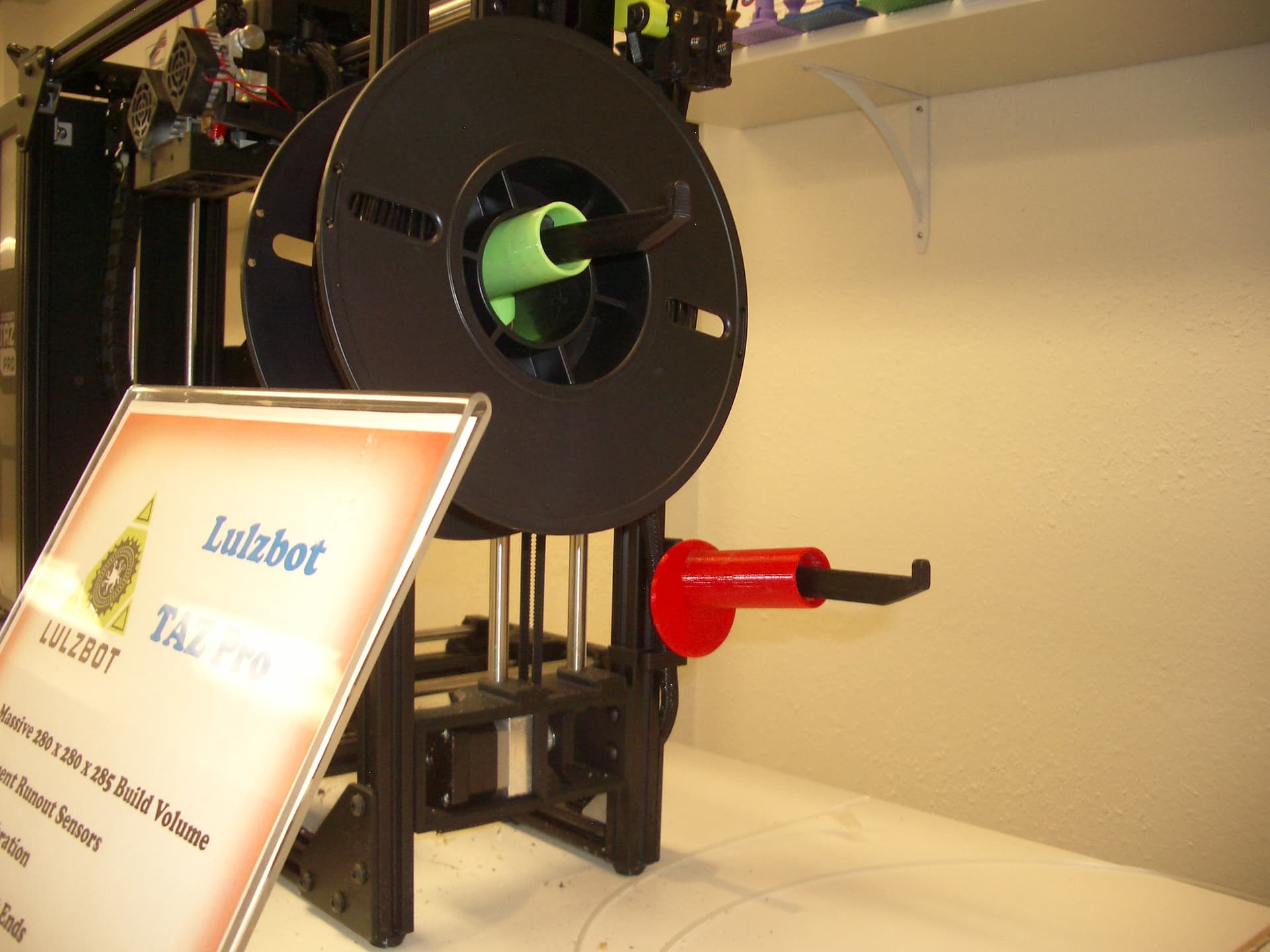
Honestly, the one thing that would be most likely to solve your problem is a willingness to change some of those settings in Cura.
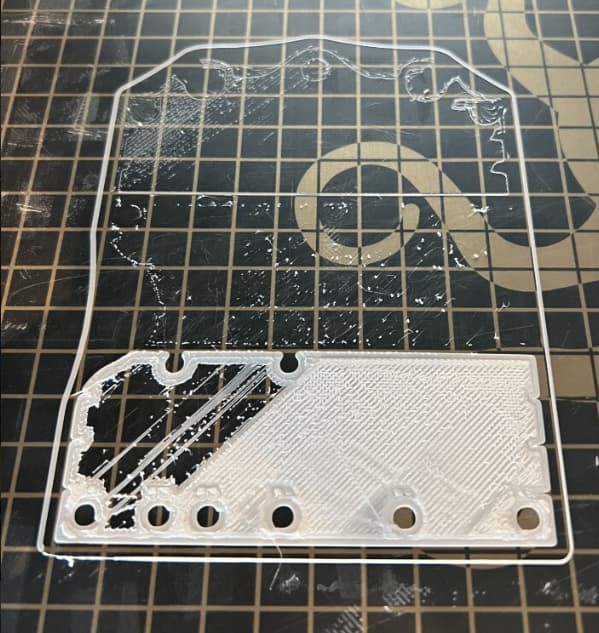
Are you using washer-based leveling? What is your Z probe offset? Because…
this shot
and this shot
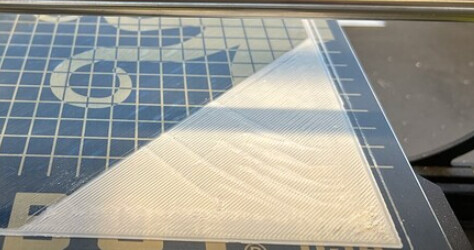
and this one
All show your Z offset is way too low. No filament can withstand that kind of pressure. With an octograb and washer-based leveling, you should be looking at around +0.3 for your Z offset. If you are in that ballpark, you may have something changing your z offset in the slicer, because that shot of the large flat sheet looks consistently too low, rather than the result of a dirty nozzle screwing up one point of the probing.
The standard z-probe offset for all of Lulzbot’s washer based machines is around -1.2 to -1.5, IOW about the thickness of the washer itself. A positive 0.3 offset would put the first layer about 1.5mm above the build surface.
I think he said that was if you had an Octograb. Mine definitely places the top of the build plate just about level with the top of the washers.
Yep. Octograb in use, octograb offset recommended.