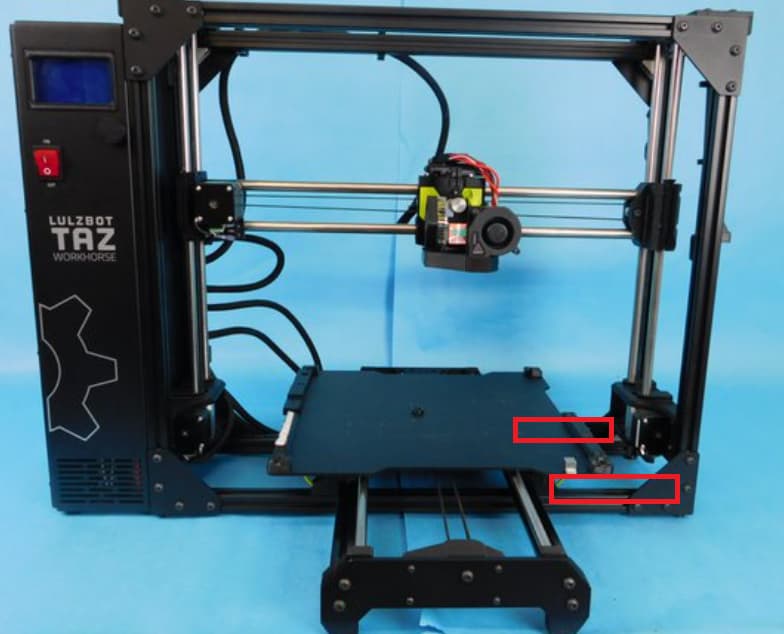
You’re actively fighting the leveling system when you try introducing shims, manual leveling, and such.
First things first. Is your printer actually on a flat surface? Can you slide a piece of paper under any of the feet? If so, this is introducing twist in the frame that is going to screw up any sort of leveling. A rhombus isn’t a good foundation for a printer. If any place gets shimmed, it’s under the feet. It’s better if you can just buy a large paver stone that is quite flat first. Put that on your shelf. Shim under the stone if it’s wobbly, then put your printer on top of that. It’ll help deaden sound from the printer too.
Next, measure from corner to corner of the frame - top-right to bottom-left and then top-left to bottom-right. This measurement should be the same. If it isn’t, you need to loosen up the frame on the right side, and while on a very flat surface, get those measurements to be the same.
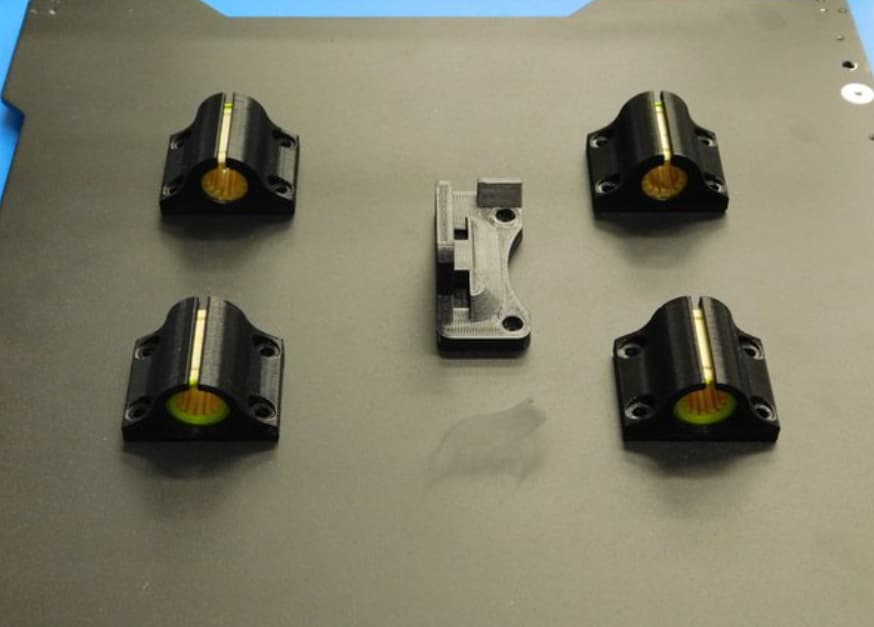
For the Y axis squareness for tramming, I just printed some spacers to go between the right frame side and the Y axis mounts. They just stay in there since they keep little plastic bits out of the frame.
Trammer.stl (56.1 KB)
With all that done, you should at least be in a good ballpark for squareness. Now ensure your gantry is parallel to the bed. Raise the Z axis until you can put an object with a solid base and top between the X-axis rod and bed. It should barely slide under the left side. Check on the right side of the bed with the same object. If it fits exactly like the left, then your gantry is parallel to the bed, and you’re done. If it is not the same, disable the motors in the motion menu, and then manually twist the threaded rod to raise/lower until your object slides into place. Then move it to the other side, and adjust that rod. You will have to go back and forth several times to get it right, since adjusting one side down affects the other slightly.
With the gantry parallel to the bed, that leaves the washer-to-bed to check. The washers are precision machined, and almost always are within spec, but you can measure them if you have a good set of calipers, just to be sure. The spacers beneath the washers are not precision machined. If they are too tall, they can prevent the washers from snugging down the bed. If they are too short, the washers can slant upward on the bed side. Both of these conditions result in the probe offset being too large. Observe my terrible MSPaint diagram:

Also note that if your TPU pads have compressed over time, you get the same result as spacers that are too tall. Shimming in this case reduces the gap between the print surface and the washer back to where it should be. No real issues with this here, but the real solution is to replace the worn parts.
And you can’t talk about Taz bed leveling without mentioning the terrible idea of using something that is frequently covered in plastic to measure an electrical connection. The nozzle can never be too clean, but is frequently too dirty. Any plastic interfering with the connection will delay sensing the washer, simulating that the corner of the bed is lower than the others, effectively reducing the Z offset for that corner.
There is no magic going on in the machine code that turns a properly assembled machine into one that probes improperly. It measures that washer, subtracts the Z offset, and assumes the bed is there. Adding shims is a crude way to try and correct for another deficiency that shouldn’t be there.