I bought my TAZ 5 from Maker, so I got a spool of their PLA at the same time. I printed with it all winter (shop temperature 65-70) with excellent results… it tolerates a wide range of parameters and printed perfectly every time. But now that summer has come and my shop is often 80-90 degrees by mid-day, I can no longer print with it. The print goes fine for a while, but then jams and extruding stops. I was printing at 240, and found that 230 worked a bit better. But mostly I just went with printing overnight. So maybe your ambient temperature is contributing to this problem.
Likely the filament has crossed a threshold in temp and is transitioning in the heat break now. Have you considered putting a beafier cooling fan on your extruder?
I would definitely use a larger heatsink fan if I were planning to do much more PLA printing. But after a LOT of experimenting and tweaking, I’m now using PETG with generally good results. And I’m transitioning to nGen. Both of those print fine in hot weather.
Tim
So, I am a bit of a bargain hunter, and had seen a few months back someone said MakerGeeks had good filament. So I went a little crazy on one of the filament grab bags, and then they also screwed up the order so I ended up with 10 rolls of MakerGeeks PLA! So I was very driven to get this working and failed miserably. I found this thread and it inspired me to try it again. I got it working! I’ve made a few benchies and an 11 hour print now with a few different colors of MakerGeeks. The changes I made to the basic PLA profile are: retraction set to 0.7 (instead of 1.7, this didn’t cause oozing), temperature set to 210C, and speed set to 48 mm/s, outline underspeed set to 80%. Everything else is set to 100% of the speed, even first layer. I’ve found the biggest thing with this filament is the speed. Go too slow, and you get heat creep; go to fast and it builds a lot of pressure and grinds out the filament. It also seems to compress the filament really bad, and makes it almost impossible to melt. I use S3D, so my FFF profile is attached (just change the extension from txt to fff). Sorry for the Cura people, but I think you’ll have luck making these changes in Cura. If someone tries, please post back for others!
By the way, I happened to also switch from a 0.35mm nozzle to 0.5mm nozzle during this. So I can also testify that it works for both nozzle sizes. I’m going to try to speed it up a little now with the 0.5mm nozzle, as I don’t think there will be as much back pressure.
Hopefully this helps some people out.
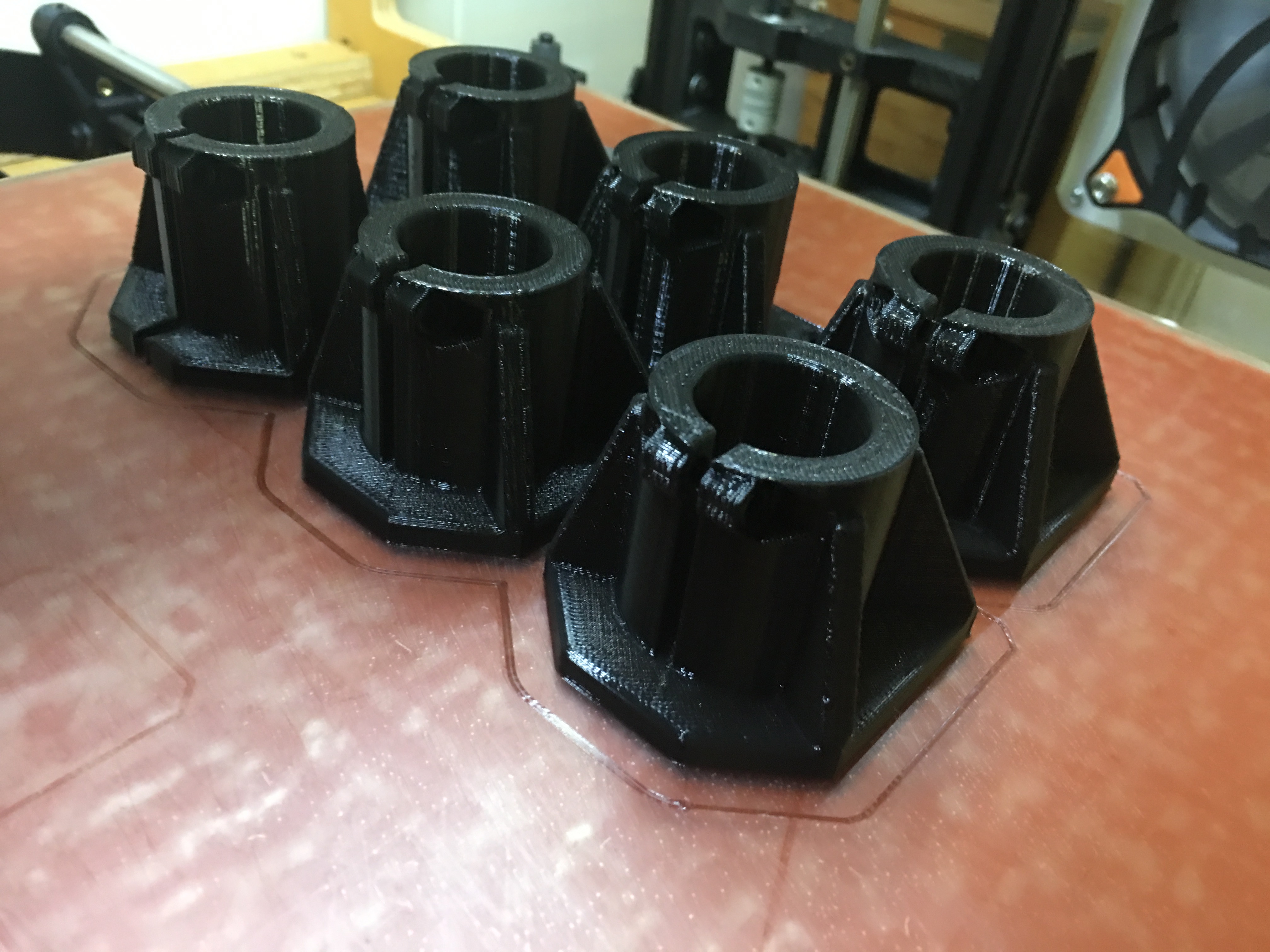
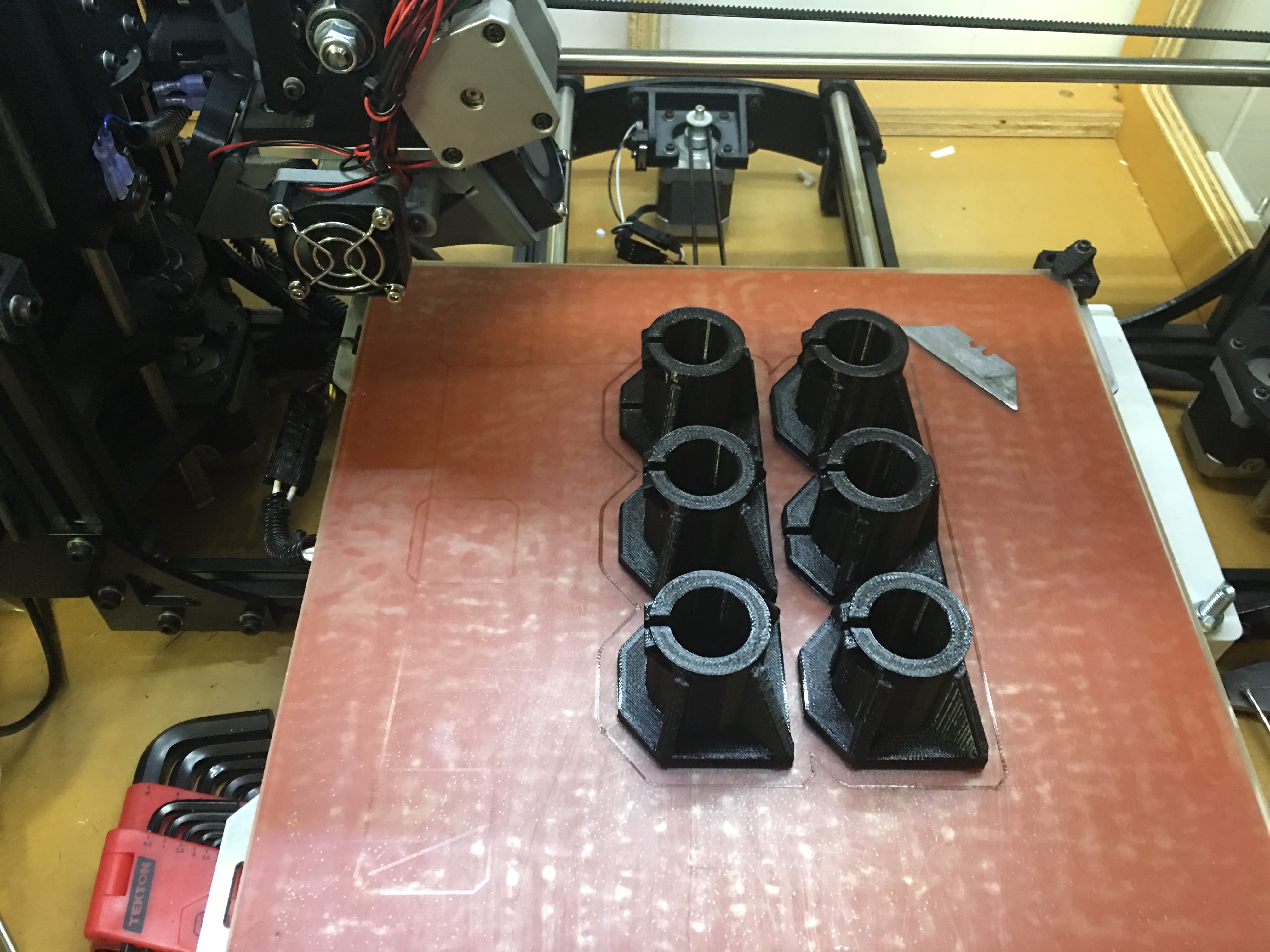
LulzBot Taz 5 MakerGeeks PLA.txt (9.91 KB)
Thanks for the information!
I only have Cura, can anyone translate these settings for me: “…speed set to 48 mm/s, outline underspeed set to 80%. Everything else is set to 100% of the speed, even first layer.” Is outline underspeed the speed of the outer/inner shell speed in Cura?
I’m not a real pro, but I doubt if the outline speed is an important parameter. I do increase the outline length in the expert settings to make sure everything is stable before the print starts. Also, I watch the outline being deposited, and I grab a misplaced strand and quickly snip it off if it looks like it will cause a problem. This does not happen often. As far as I know, the only purpose of the outline is to get things flowing smoothly, and deposition speed is of no great consequence. That’s probably why CURA doesn’t even let you set it. You don’t really need it.
Yea, the outline under speed isn’t really important. More just to make sure the part you see looks really nice. But as long as you aren’t pushing the speeds like crazy, it probably makes no difference at all. The main point I guess I was making is the “Everything else at 100%”. Something I noticed is if I had a large surface area part, running the first layer at 50% or 80% would cause it to jam because of heat creep. You really just want to make sure that the filament keeps moving at a good speed all the time. Anything that slows it down for too long will allow problems to arise.
I recently purchased some of the “dishwasher safe” PLA filament and have had some trouble getting it to successfully print. After reviewing this thread and adjusting some temp settings I’ve been able to successfully print a 4.5hr job. Not a vertically tall print but some large (up to 4.5" diameter) discs. I did run into a warping issue so I guess I need to still tweak the bed settings a bit. The warping happened all on one side so it may have been environmental (the side of the printer where an AC vent is).
Anyway, I then baked the parts in a toaster oven at 220-deg for about 10 mins and let them cool with the oven itself. I put the pieces in the dishwasher and ran them through a regular cycle with heated drying. My wife was worried that they will melt all over the dishes but checked them this morning and they are perfect!
I was a little frustrated with this stuff initially, but I’m feeling better about it now and will probably order more.
For filaments with warp problems (especially ABS), I find that using a very wide brim helps a LOT.
Tim
I’m still in the leaning stages with all of this and the need for brims has allowed prints to complete whereas they previously failed without. On this particular model the discs needed to fit inside a main body with very little clearance and my fear is that I wouldn’t be able to get the brim off cleanly enough. In the end it seems the warping was minimal enough to not be an issue, and possibly the heat treating process helped undo it a little.
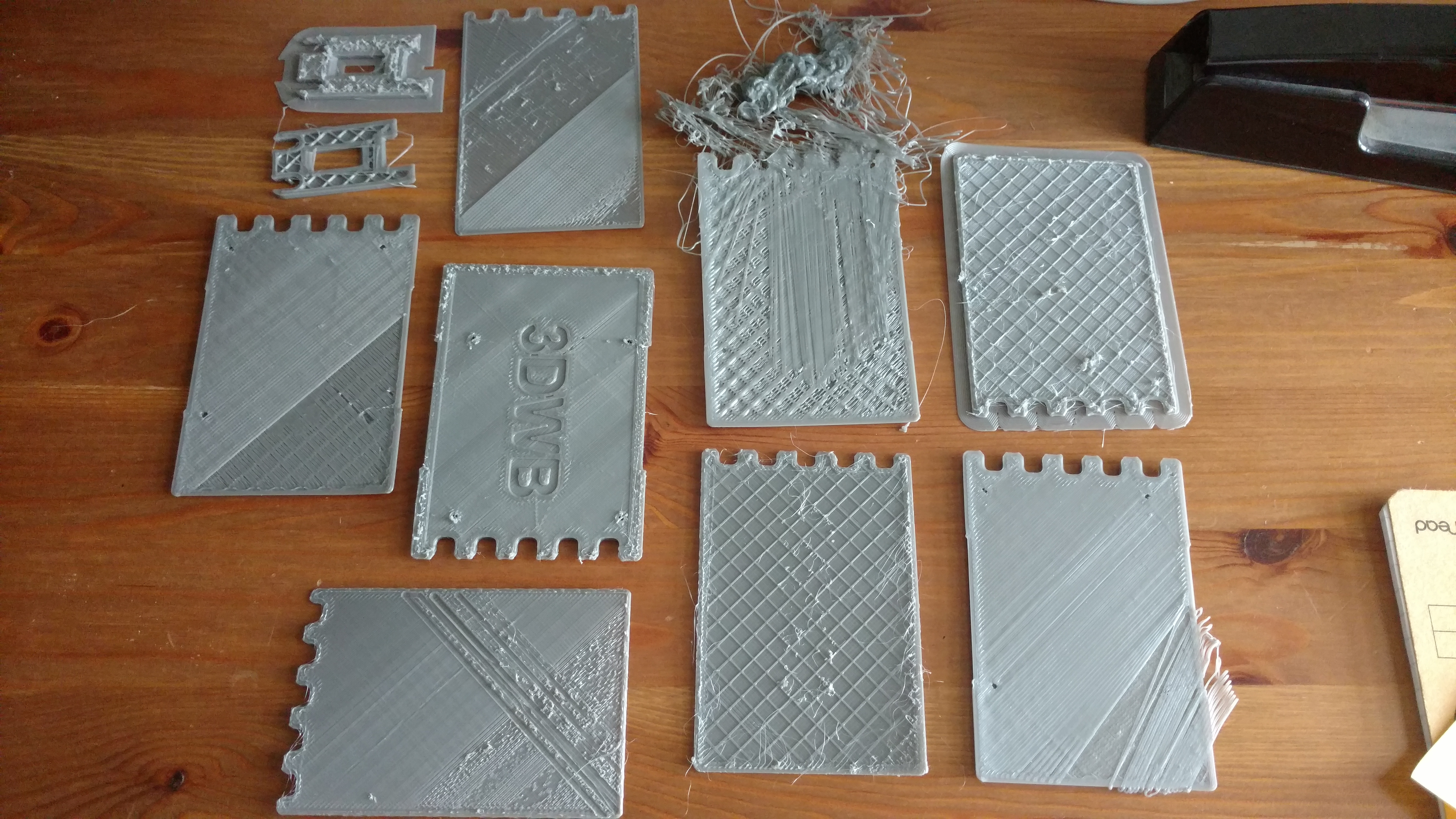
I was looking to try the Raptor PLA out and wish I saw this thread first. I have had nothing but bad luck printing with this stuff. It clogs an djams every time but 1 so far. the only success I had was a 15 minute print, which failed the first time I tried as well. I have tried various speeds, from 20mm/s up to 90mm/s. I have tried temps from 205 through 240 as we as bed temps of 60-80. Various retraction settings, various flow settings and speed settings and nothing makes a difference. I tried various idler tension, from 8mm down to 5mm spacing down to where it starts clicking it is so tight. Still nothing. The filament shreds, stops and clogs every time. And if that wasn’t enough, there is no bed adhesion without a brim and even then it pulls off very easily.
here is the filaments I have had to pull from the extruder.

Here are my prints.
So far, I have had no issues printing with Taulmann PET, eSun PLA+, nGen, and Ninjaflex. I had real high hopes for the Raptor line but I just don’t think the TAZ 6 likes it. I wish it was me but I have tried everything and cannot seem to get it to print at all. Put back my PLA+ and printed off a couple flawless prints. I will stick with the PLA+ then and maybe try my hand at some ABS or ABS+. makergeeks is just not for me or my TAZ.
I bought some of their filament I think just before they started calling it Raptor. At the time it was just “Dishwasher-Safe High-Temp PLA”, but if you check the SKU on their website (375489572) it comes up as the same Raptor stuff. Took me a while to get it dialed in but I have been able to print with it quite successfully on my TAZ 6. I don’t think I ever had a clog. Can’t remember if I was using Cura or Simplify3D, or both, but if you’re interested (and if I can find my settings) I’d be happy to send you the settings that worked for me.
I say “if I can find…” because before I really knew how Simplify3D worked I deleted the machine and with it went the custom settings. But, I also think I have a .gcode file or two saved on a SD card that I used the MG filament with and can load the settings from that. Either way, let me know if you’re interested.
Very interested, PM sent. If you find the settings, post them up so everyone can have a crack at them.
I found the .gcode file and thankfully Simplify3D puts all of the settings at the beginning. I’ve posted them below and you can figure out the settings based on the descriptions. These settings worked for me, quite nicely, on a 4.5+ hour print using the TAZ 6 (I was using ‘Natural’ so keep in mind no pigments to affect my results.)
My all important temp settings were the nozzle at 225 and the bed at 65. I was also using a ‘Fast’ print quality setting and after the annealing process am very pleased with the results.
; G-Code generated by Simplify3D(R) Version 3.1.0
; Jul 10, 2016 at 12:47:11 PM
; Settings Summary
;   processName,Process1
;   applyToModels,MakerGeeks Sample PLA Prints
;   profileName,LulzBot TAZ 6 Single
;   profileVersion,2016-07-10 11:01:33
;   baseProfile,
;   printMaterial,MakerGeeks PLA
;   printQuality,Fast
;   printExtruders,
;   extruderName,Primary Extruder
;   extruderToolheadNumber,0
;   extruderDiameter,0.5
;   extruderAutoWidth,0
;   extruderWidth,0.5
;   extrusionMultiplier,1
;   extruderUseRetract,1
;   extruderRetractionDistance,1.5
;   extruderExtraRestartDistance,0
;   extruderRetractionZLift,0.07
;   extruderRetractionSpeed,1020
;   extruderUseCoasting,0
;   extruderCoastingDistance,0.2
;   extruderUseWipe,0
;   extruderWipeDistance,5
;   primaryExtruder,0
;   layerHeight,0.3
;   topSolidLayers,3
;   bottomSolidLayers,3
;   perimeterOutlines,3
;   printPerimetersInsideOut,1
;   startPointOption,2
;   startPointOriginX,0
;   startPointOriginY,0
;   startPointOriginZ,300
;   sequentialIslands,0
;   spiralVaseMode,0
;   firstLayerHeightPercentage,100
;   firstLayerWidthPercentage,100
;   firstLayerUnderspeed,0.5
;   useRaft,0
;   raftExtruder,0
;   raftLayers,3
;   raftOffset,3
;   raftSeparationDistance,0.14
;   raftInfill,85
;   disableRaftBaseLayers,0
;   useSkirt,1
;   skirtExtruder,0
;   skirtLayers,1
;   skirtOutlines,1
;   skirtOffset,3
;   usePrimePillar,0
;   primePillarExtruder,999
;   primePillarWidth,12
;   primePillarLocation,7
;   primePillarSpeedMultiplier,1
;   useOozeShield,0
;   oozeShieldExtruder,999
;   oozeShieldOffset,2
;   oozeShieldOutlines,1
;   oozeShieldSidewallShape,1
;   oozeShieldSidewallAngle,30
;   oozeShieldSpeedMultiplier,1
;   infillExtruder,0
;   internalInfillPattern,Rectilinear
;   externalInfillPattern,Rectilinear
;   infillPercentage,20
;   outlineOverlapPercentage,15
;   infillExtrusionWidthPercentage,200
;   minInfillLength,5
;   infillLayerInterval,1
;   infillAngles,45,-45
;   overlapInfillAngles,0
;   generateSupport,0
;   supportExtruder,0
;   supportInfillPercentage,25
;   supportExtraInflation,0
;   denseSupportLayers,0
;   denseSupportInfillPercentage,70
;   supportLayerInterval,1
;   supportHorizontalPartOffset,0.3
;   supportUpperSeparationLayers,1
;   supportLowerSeparationLayers,1
;   supportType,0
;   supportGridSpacing,4
;   maxOverhangAngle,45
;   supportAngles,0
;   temperatureName,Primary Extruder,Heated Bed
;   temperatureNumber,0,0
;   temperatureSetpointCount,1,1
;   temperatureSetpointLayers,1,1
;   temperatureSetpointTemperatures,225,65
;   temperatureStabilizeAtStartup,1,1
;   temperatureHeatedBed,0,1
;   temperatureRelayBetweenLayers,0,0
;   temperatureRelayBetweenLoops,0,0
;   fanLayers,1,2
;   fanSpeeds,0,100
;   blipFanToFullPower,1
;   adjustSpeedForCooling,1
;   minSpeedLayerTime,15
;   minCoolingSpeedSlowdown,20
;   increaseFanForCooling,0
;   minFanLayerTime,45
;   maxCoolingFanSpeed,100
;   increaseFanForBridging,0
;   bridgingFanSpeed,100
;   use5D,1
;   relativeEdistances,0
;   allowEaxisZeroing,1
;   independentExtruderAxes,0
;   includeM10123,0
;   stickySupport,1
;   applyToolheadOffsets,0
;   gcodeXoffset,0
;   gcodeYoffset,0
;   gcodeZoffset,0
;   overrideMachineDefinition,1
;   machineTypeOverride,0
;   strokeXoverride,280
;   strokeYoverride,280
;   strokeZoverride,250
;   originOffsetXoverride,0
;   originOffsetYoverride,0
;   originOffsetZoverride,0
;   homeXdirOverride,-1
;   homeYdirOverride,-1
;   homeZdirOverride,-1
;   flipXoverride,1
;   flipYoverride,-1
;   flipZoverride,1
;   toolheadOffsets,0,0|0,0|0,0|0,0|0,0|0,0
;   overrideFirmwareConfiguration,1
;   firmwareTypeOverride,RepRap (Marlin/Repetier/Sprinter)
;   GPXconfigOverride,r2
;   baudRateOverride,250000
;   overridePrinterModels,1
;   printerModelsOverride,LulzBot_TAZ6.stl
;   startingGcode,G26 ; clear probe fail condition,M140 S[bed0_temperature] ; start heating bed,M104 S170 ; start heating extruder,G28 XY ; home X and Y,G1 X-19 Y258 F1000 ; move to safe homing position,M109 S170 ; soften filament for Z homing,G28 Z ; home Z,G92 E0 ; zero extruder,G1 E-12 F100 ; retract 12mm filament,G1 X-15 Y100 F3000 ; move above wiper pad,G1 Z1 ; push nozzle into wiper,G1 X-17 Y95 F1000 ; slow wipe,G1 X-17 Y90 F1000 ; slow wipe,G1 X-17 Y85 F1000 ; slow wipe,G1 X-15 Y90 F1000 ; slow wipe,G1 X-17 Y80 F1000 ; slow wipe,G1 X-15 Y95 F1000 ; slow wipe,G1 X-17 Y75 F2000 ; fast wipe,G1 X-15 Y65 F2000 ; fast wipe,G1 X-17 Y70 F2000 ; fast wipe,G1 X-15 Y60 F2000 ; fast wipe,G1 X-17 Y55 F2000 ; fast wipe,G1 X-15 Y50 F2000 ; fast wipe,G1 X-17 Y40 F2000 ; fast wipe,G1 X-15 Y45 F2000 ; fast wipe,G1 X-17 Y35 F2000 ; fast wipe,G1 X-15 Y40 F2000 ; fast wipe,G1 X-17 Y70 F2000 ; fast wipe,G1 X-15 Y30 Z2 F2000 ; fast wipe,G1 X-17 Y35 F2000 ; fast wipe,G1 X-15 Y25 F2000 ; fast wipe,G1 X-17 Y30 F2000 ; fast wipe,G1 X-15 Y25 Z1.5 F1000 ; slow wipe,G1 X-17 Y23 F1000 ; slow wipe,G1 Z10 ; raise extruder,G1 X-9 Y-9 ; move above first probe point,M204 S100 ; set accel for probing,G29 ; probe sequence (for auto-leveling),M204 S500 ; set accel back to normal,G1 X0 Y0 Z15 F5000 ; get out of the way,M400 ; clear buffer,M117 Heating...,M104 S[extruder0_temperature] ; start heating extruder,M190 S[bed0_temperature] ; stabilize bed,M109 S[extruder0_temperature] ; stabilize extruder,G1 Z2 E0 F75 ; extrude filament back into nozzle,M117 TAZ Printing...
;   layerChangeGcode,
;   retractionGcode,
;   toolChangeGcode,
;   endingGcode,?,M400 ; wait for moves to finish,M104 S0 ; hotend off,M107 ; fans off,G91 ; relative positioning,G1 E-1 F300 ; retract the filament a bit before lifting the nozzle, to release some of the pressure,G1 Z+20 E-5 X-20 Y-20 F3000 ; move Z up a bit and retract filament even more,M117 Cooling please wait ; progress indicator message,G90 ; absolute positioning,G1 Y0 F3000 ; move to cooling position,M190 S50 ; set bed to cool off,G1 Y280 F3000 ; present finished print,M84 ; steppers off,G90 ; absolute positioning,M117 Print complete ; progress indicator message
;   exportFileFormat,gcode
;   celebration,0
;   celebrationSong,Random Song
;   postProcessing,
;   defaultSpeed,3600
;   outlineUnderspeed,0.5
;   solidInfillUnderspeed,0.8
;   supportUnderspeed,0.8
;   rapidXYspeed,4800
;   rapidZspeed,1002
;   minBridgingArea,50
;   bridgingExtraInflation,0
;   bridgingExtrusionMultiplier,1
;   bridgingSpeedMultiplier,1
;   filamentDiameter,2.9
;   filamentPricePerKg,31.99
;   filamentDensity,1.25
;   useMinPrintHeight,0
;   minPrintHeight,0
;   useMaxPrintHeight,0
;   maxPrintHeight,0
;   useDiaphragm,0
;   diaphragmLayerInterval,20
;   robustSlicing,1
;   mergeAllIntoSolid,0
;   onlyRetractWhenCrossingOutline,1
;   retractBetweenLayers,0
;   useRetractionMinTravel,1
;   retractionMinTravel,3
;   retractWhileWiping,0
;   onlyWipeOutlines,1
;   avoidCrossingOutline,0
;   maxMovementDetourFactor,3
;   toolChangeRetractionDistance,12
;   toolChangeExtraRestartDistance,-0.5
;   toolChangeRetractionSpeed,600
;   allowThinWallGapFill,1
;   thinWallAllowedOverlapPercentage,10
;   horizontalSizeCompensation,0
DougZ, thank you so much! I will give these a try!
You’re more than welcome. Let me know if you have any questions about the settings. Good luck!
Unfortunately still no luck with your settings. I thought I had something when I changed a few other settings. Almost got a full print until it came off the bed. Added a larger brim and went again but it stopped extruding and got chewed up on the next 2 attempts. So back to the drawing board. I will still keep plugging away since I cannot return it (don’t need a store credit for a place whose filament does not print for me).
Thanks!
That’s too bad. Sorry I couldn’t help. If they’d give you credit why not try a different spool? Maybe the natural like I had? Very pleased with the resulting product and finish (but I was specifically looking for the resulting natural color). Just thinking you may have gotten a bad spool. Good luck!
No worres, thanks for the help!
I thought about giving another roll/color a try but after reading a bunch of forums posts around the internet, few people have good luck with this filament so I am going to try some 3D Fuel APLA. I had some Amazon GCs so I will give that a try and see how it goes.
Thanks again!
Rich
Understood. Hopefully you’ll have good luck with the APLA. I was at a Micro Center recently and got a few 100g sample rolls of some Algix 3D APLA (I think they make the 3D Fuel stuff) and it printed very nicely. I started with the default Cura profile for the eSUN PLA then tweaked as necessary based on the printing tips provided on the Algix 3D website. Good luck!