My mini connects with octoprint, I can move it all over, set temps - all works fine - but when I attempt to start a print now, it will wipe the nozzle, and park and not continue to do the normal washer touch probing. It does not even attempt to touch the washer - it just finishes the wiping of the nozzle, and then moves to the home of X and then octoprint reports probing failed.
Since it’s not even making it to probing - what could be the issue here? I’ve replaced every wire on this thing in its lifetime, including the power and ground wires from the nozzle to the bed, but since it’s not even attempting to touch the washer - what could cause that?
When attempting a print job I get this when it is done wiping the nozzle.
Recv: Error:Probing Failed
Changing monitoring state from “Printing” to “Cancelling”
Send: N50 M10831
Recv: X:0.00 Y:160.00 Z:10.00 E:-30.00 Count X:0 Y:16080 Z:16000
Recv: ok
Send: N51 M8443
Recv: ok
Send: N52 M104 T0 S022
Recv: ok
Send: N53 M140 S083
Recv: ok
Recv: ok
Send: N54 M106 S0*86
Recv: ok
Changing monitoring state from “Cancelling” to “Operational”
[…]
Well I’ve replaced all the wires over the years - not any recently - and continuity flows through all the existing wires that have been working fine (printing fine lately) in the past without any work done.
M119 does show all three Min’s are triggered:
[...]
Send: M119
Recv: Reporting endstop status
Recv: x_min: TRIGGERED
Recv: x_max: open
Recv: y_min: TRIGGERED
Recv: y_max: open
Recv: z_min: TRIGGERED
Recv: z_max: open
Recv: ok
[...]
when I volt test nozzle to bed washer I’m seeing .405 volts. I do not recall what voltage this should be - but that seems odd to me anyway. What could be causing the z_min to be triggered if the wires seem fine? Must be a short somewhere from pinched wires touching the nozzle’s positive to a random ground? Boy do I hate taking this thing apart
I unscrewed the red wire at the bottom of the hotend and my printer still says zmin and max are triggered… I’m not sure how that’s even possible
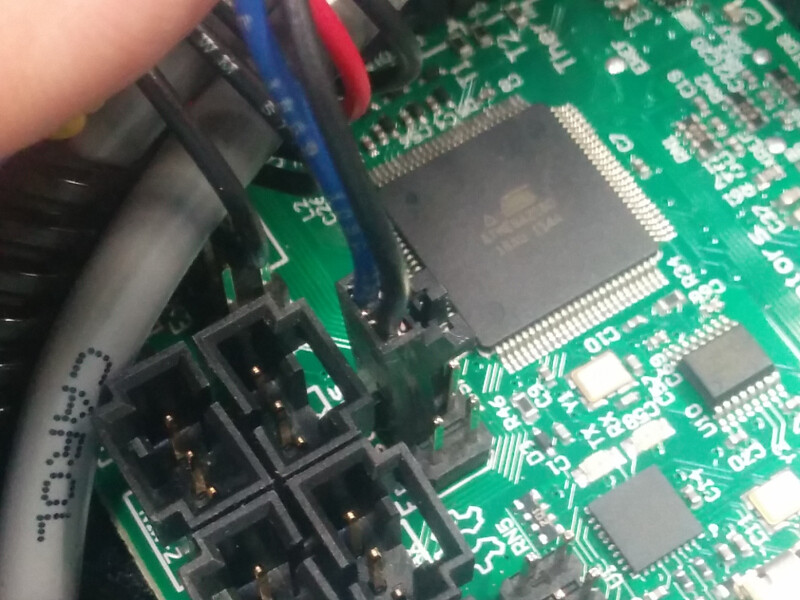
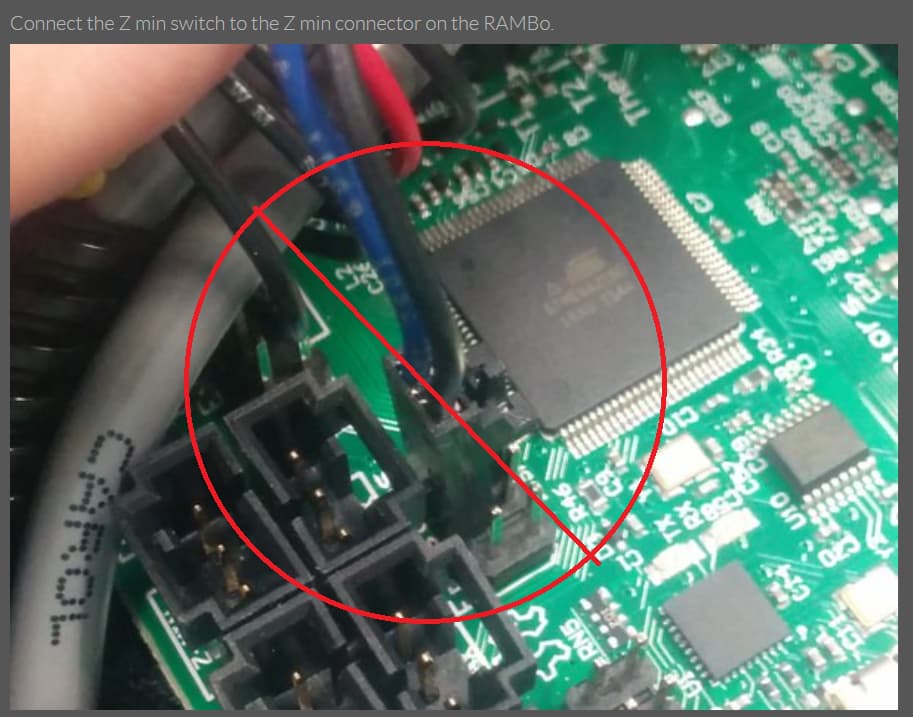
Is this blue and black cable the z min stop? I guess I’ve had to replace the ground wire that goes TO the bed, but not this blue and black one on the six pin jumper above the zmax connector:
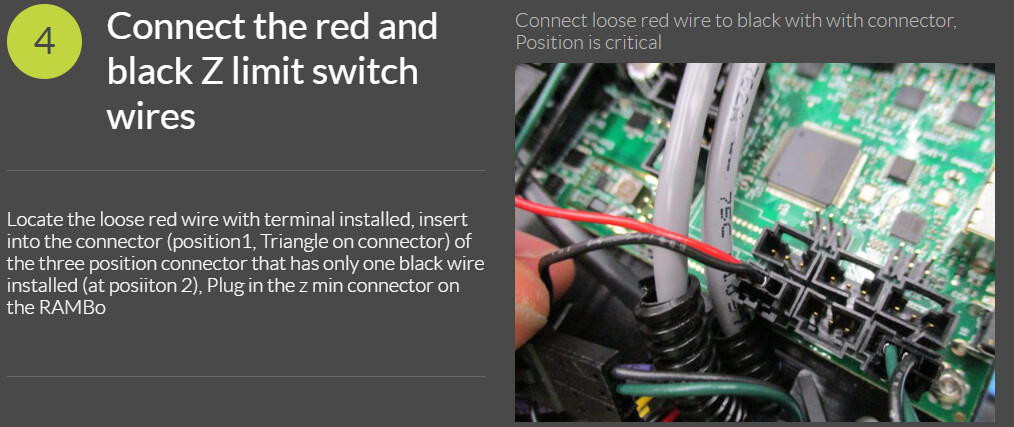
So in this pic from the lulzbot guide - this six pack of jumpers is the z-min. The port right beneath it in the pic is the z-max, but then the one below that is also labeled z-min - that’s the one that grounds to the bed and I’ve replaced.
I’m guessing the bed must be shorted rather than the hotend - since disconnecting the hotend still shows triggered for z_min and disconnecting all three of the z-min/max connectors still shows z_min triggered but z_max is open now. I’m guessing the bed is grounded by some rogue power issue from a different cracked cable
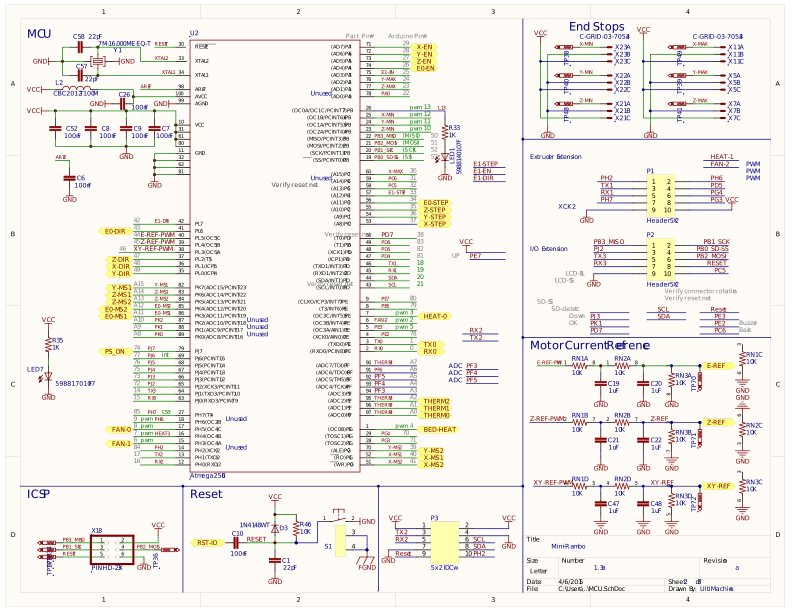
The symptom you describe (z_min always triggered, even when wires disconnected from board) suggests a blown min-rambo board. The most common (but not the only) cause is cleaning the nozzle with a wire brush, which pierces the wire insulation to the heater, shorting heater voltage to the nozzle block, which sends heater voltage to the z-sense port on the board (and burns it out).
Sorry for bad news, but it sounds to me like you will need a new mini-rambo board.
Personally, I’d just go with the direct replacement for simplicity. Not sure about availability, they seem to be out-of-stock a lot, so check Lulzbot, Ultimaker, and ItWorks3d.com to see what you can find. (ItWorks3D may also have a used one, from a printer teardown, so definitely check with them.)
If you cleaned the head with a wire brush, then that’s probably the explanation. If not, then I would definitely check all your wiring, end-to-end, to make sure there is no short between the z-sense wiring and any power wire (and most specifically, the heater power wire). Though unlikely, if a wiring short caused the issue then it could also blow up the new board on first power up. In theory, a shorted heater cartridge could also cause the problem – so check your heater cartridge for proper resistance, or just go ahead and replace it (they aren’t expensive).
If the Mini 1 has the same board as a Taz 6 (I recall it saying 1.3 on mine) I just replaced my Taz 6 with an SKR 3 EZ and the old board is lying around my parts box. You can have mine if you want. I was just going to throw it away.
I honestly do not know what the black and blue cable is going to the 6 pin connector - have not traced the wires, but they appear to go to the nozzle group of cords, not the bed at all.
I was using a wire brush and it didn’t work thereafter, so I’m presuming (since the fuses are fine) that I shorted out the board, which is why z_min is always triggered, even with cables completely disconnected.
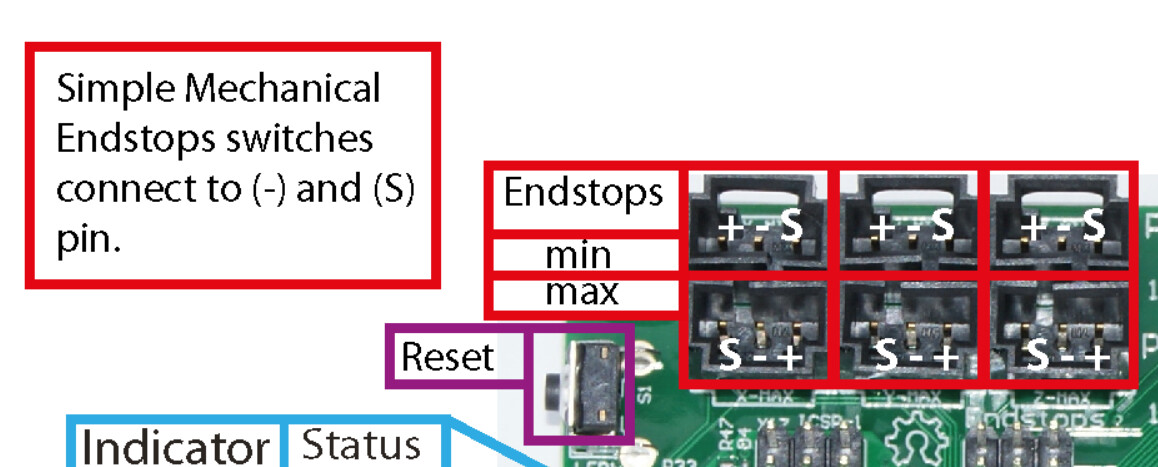
Appreciate the feedback, but my wires are identical to the zmin and max pics with the red on the right in the max and left on the min connectors (Signal and ground, not positive).
I haven’t made any changes to cura or my firmware in roughly a year - are you saying there’s some other issue that’s not motherboard related due to the command being sent?
Can you help me understand a solution to your comment?
Good catch by @kmanley57, but I don’t think it’s related to the probe failure.
The code
should be replaced with something like ‘M109 R160’ when you slice the GCODE, so I don’t know if you just copy/pasted the start GCODE into a file and tried to start it, or if you used the start GCODE for CuraLE in another slicer.
But the machine would just see the variable placeholder text as garbage and ignore it, and try to probe with the nozzle at room temperature. This wouldn’t have an effect on the limit switches being triggered constantly.
Oh ic - yes when I run Cura (not lulzbot edition) I have these values and in place and the temp shows it is set to 140 in octoprint - it achieves the desired temp, and then says it fails to probe because it’s already a closed circuit due to the motherboard short I’m presuming. But I do see what you mean, that the copy paste from my cura start code should be modified if I paste it in octoprints terminal so the printer can understand the value that cura normally passes to it.