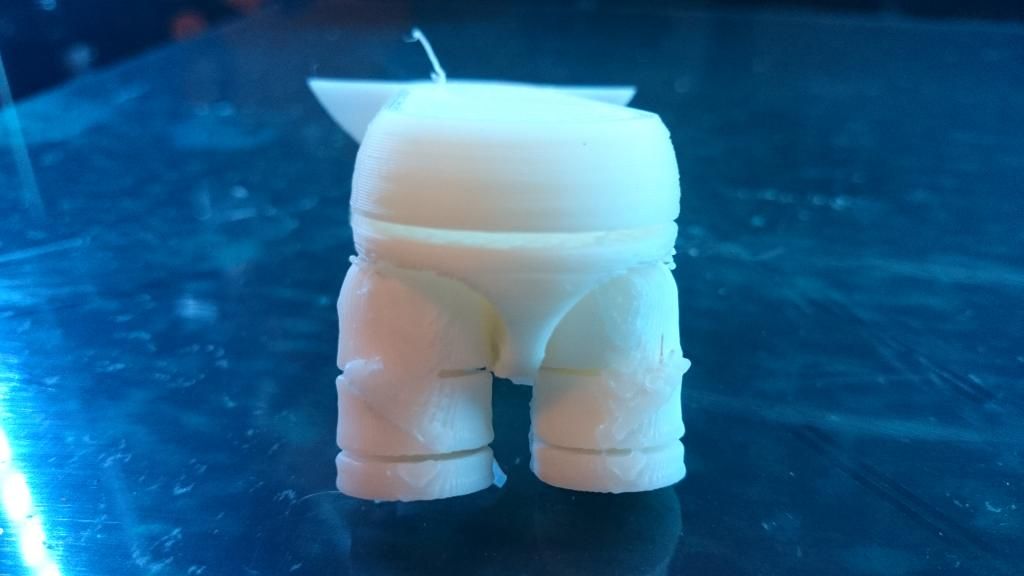
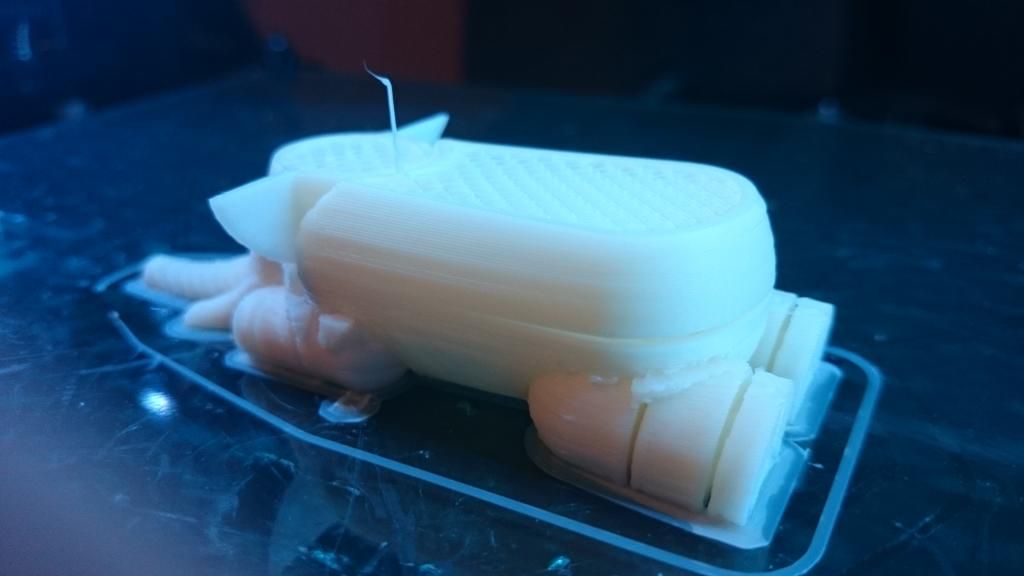
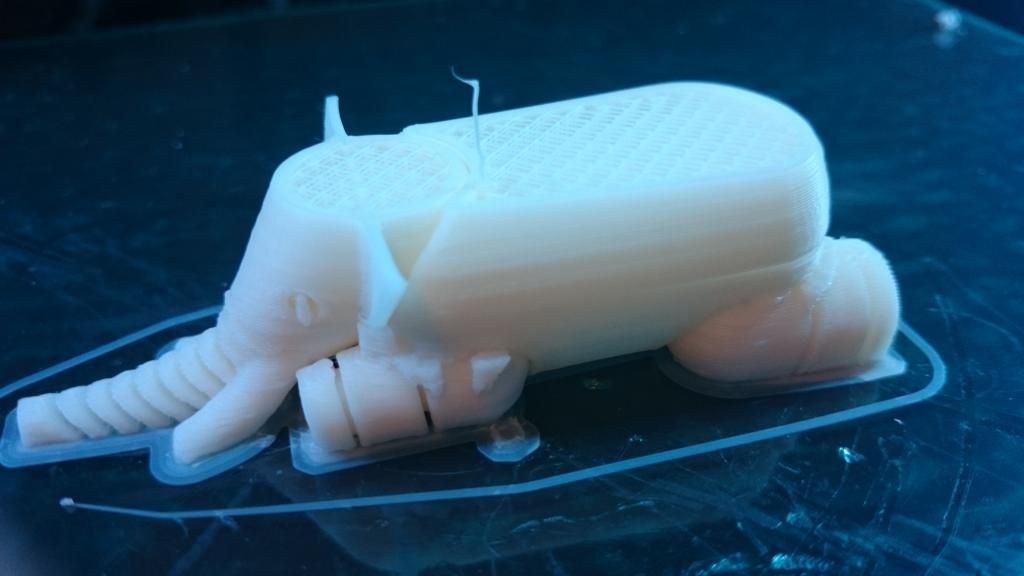
just got my Taz 4 and i dont know why i get wierd craks in my print… is it that i have not calibrated the bed right or
why does it crack like this, the octypus was really nice print.
i have no clue how to fix the problem.
using the slic3r (using the fast settings from lulzbot page )
It’s room temperature and air movement most likely. ABS tends to cool unevenly, which can cause cracks along the layers. This is especially a problem if you have your printer located in an unheated garage. You can print things inside of an enclosure (even a large cardboard box will work for this). and that will help. Other options include moving the printer into a heated area if it isn’t already.
Post some pictures of the prints here and we can see if there is anything else going on there.
thank you for the fast replay , i had my window open its quite close to the printer, ill try to print it again but with the window closed this time,ill let you know when its printed again
I had the same thing happen in an air-conditioned room. I turned the cooling fan off on the printer and that helped. I ended up moving my printer outside (Warm summer heat) for that large print and all was good again.
I’ll have to try the cardboard box trick once winter rolls around.
If you run into a really large print that you need to print without splitting, you can try the “stick the printer in a large box” or “wrap a large turkey oven bag and stick it on with duct tape” tricks too temporarily. Just remember that boxes are flammable heh.
Hmmm…I’ve been using the Slic3r Profiles for ABS from the Lulzbot webpage for all my ABS printing and the default fan setting appears to be off all the time.
I’m curious bre, were you manually setting the fan to some speed, or using a different “profile” ?
was thinking of buying plexiglass to build a box to have the printer in, gets quite cold here in sweden, haha i can imagine the sight with the printer in a huge turkey oven bag but tip though !
Hmmm…I’ve been using the Slic3r Profiles for ABS from the Lulzbot webpage for all my ABS printing and the default fan setting appears to be off all the time.
I’m curious bre, were you manually setting the fan to some speed, or using a different “profile” ?
i might have activated it in the Pronterface software, but when loading the Gcode should it not take the setting from the Gcode or am i wrong about the program ?
I still think someone should make a combination 3d printer / turkey oven. That way you could print neat toys and get a delicious turkey dinner at the same time.
Gcode settings and interface settings sometimes have odd orders of precidence. For example, if you set specified temperature in slicer for the heated bed, and it writes that specified temperature to the g-code for that part, your printer will not start printing that part until your heated bed is exactly at that temperature. Not .01 degrees higher or lower, but exact. If you set it for the heat bed and the nozzle, it won’t print until they are both at the exact temperature at the same time. This is regardless of what you have those temperatures set to in prointerface or the fact that you hit the “start printing” button. Other settings, such as fan controll seem to take the settings from prointerface as an override to anything else you have set. I don’t know why.
Sweeden huh? Neat! The family on my Mom’s side comes from Sweeden.
We would need to make sure it doesnt extrude turkey flavored coffee though, because that would be terrible.
I usually only set the filliament values and printer size / layer / nozzle perameters in there slicer, and i set the heat values and fan settings inside prointerface (or prefferable repetier when it is working properly)
ABS is prone to warping and uneven cooling. PLA is subject to an entirely different set of temperature quirks. PLA plastic tends to not warp as much, but you need to use a fan when printing it to get decent print quality. You also need to cool the hot end with PLA because unlike ABS, it can actually expand in the bore before the melt chamber and cause a Jam. 3D printers are all about understanding and working with temperatures.
I know very little sweedish unfortunatly. My Great Grandpa and Grandma were from there, but they did not teach my grandparents very much, and they in turn didn’t teach my mom very much at all. They did pass on the family recipies for Lefsa and Krumkakka though, which are delicious (oohhhh, 3d lefsa printer! we need one of those!)
to replace the stock plastic, you just peel off the old one and then carefully apply the new layer. When you are done, use a small pin to pop any air bubbles and smooth everything out.
You can also replace it with a different material. Since you are new to 3d printing you might be reluctant to make changes to your 3d printer at this stage, but I would highly reccomend looking into getting a PEI Ultim sheet of plastic to use as a build surface. Finding shipping over there might be a problem, but it eliminates all of the issues withparts not stocking to beds. Here is the collected information thread: https://forum.lulzbot.com/t/pei-bed-surface/690/1
You should not be having the green plastic separate from the glass normally. but it does happen sometimes. And no worries about the questions, that’s what the forum is here for!

 , i had my window open its quite close to the printer, ill try to print it again but with the window closed this time,ill let you know when its printed again