Well, I’ve never gone lower than 0.1mm, and have been satisfied with that. 0.005 seems pretty thin. I have done some good looking prints at 0.35mm as well…
Since you’re in the Lulzbot Cura, how about just trying a test print with one of the quick-print profiles it comes with? If you can print a little calibration cube or the rocktopus, you at least know you can run the machine.
If that .005 is inches (just a shade under .013mm), it’s do-able. Not too far from the Cura High Detail quickprint settings for PLA.
If that is .005mm, I doubt you are going to see it happen on one of these printers. I don’t think this technology works to print .0002" (two ten thousandths of an inch). You need to exercise care with a micrometer to even measure that thickness. If you really were measuring in mm, are you sure you didn’t slip a decimal point?
FlashInPan, I’m curious what you ever found out about the Control button not appearing in Cura on your Mac.
I see Aleph Objects released a letter describing the problem. I’ve still had no problmes using Cura with my 2015 Mac Powerbook or my wife’s several year old iMac (both running OS X El Cap, 10.11.3).
I just got my printer up and running over the weekend and had the exact same problem with my Mac running the most current version of OS X. I followed the instructions as listed earlier in the thread of:
boot mac into recovery mode (command+r). hold it down until you see the mouse cursor
open utilities, go to terminal mode
type: csrutil status
probably says enabled
type: csrutil disable
reboot
It has worked without a problem ever since. As an aside, this is the second issue I have had with this most recent version of OS X that required csrutil to be disabled to see a device. I was unable to recognize and program a Logitech Harmony Remote without doing this. So it is not an isolated thing.
[quote=“Firewired”]I just got my printer up and running over the weekend and had the exact same problem with my Mac running the most current version of OS X. I followed the instructions as listed earlier in the thread of:
I am TOTALLY going to try that! Thanks for the suggestion.
Also, ironically, I designed the UI for the Harmony Remote
That TOTALLY worked! So major problem ONE solved, thanks for posting that fix. I hope others can benefit by that too.
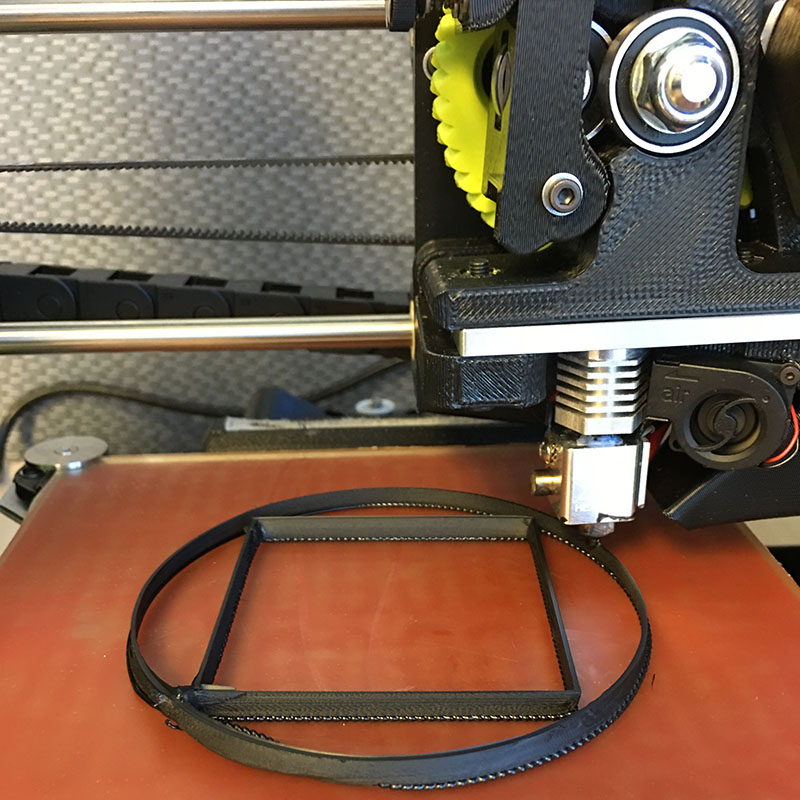
My only other problem is that when I print from my Mac, my models come out like blobs. Somehow, I think that will be easier to solve with more research. See photo: Printing Blobs. Somebody Please Save me!
Hey all,
As an update on this topic: I got a Taz 5 a week ago (and still have yet to print anything). I had 2 issues out of the box, left Z axis binding, that I have mostly resolved, and the non-connect issue between CURA and Mac that’s discussed in this thread. I have a MacBook Pro and am running El Capitan 10.11.6. Tried all of the Aleph suggestions, cable, port, down grading to CURA 17. I also just tried the disable and reboot as some others have tried with success. Still no connect/control button. I hate to go through yet more hassle of downgrading to Yosemite, not looking good though.
Not a stupid question at all! No, I have not tried this. This is a new printer and I haven’t been able to go through the motions of moving the axis’ and leveling the bed utilizing CURA (I haven’t ever used CURA). So I will give that a try. Am working the next three days, so Ill give it a shot on Friday.
Thanks for the idea… would be nuts if it actually works.
That was it. Okay, totally my bad. the instructions that come with the printer have loading a file as one of the steps and I went straight for the calibration sequence. As soon as I loaded the “rocktopus,” the control button magically appeared. Thanks for speaking up John Mc and not overlooking the idiot factor.

 So major problem ONE solved, thanks for posting that fix. I hope others can benefit by that too.