One thing to note about when Cura says “new firmware is available.” It doesn’t really know what firmware is older or newer. It just gives that error if the firmware version it has is different than what is reported by the printer.
I am able to prove that the profile for Colorfabb XT works as configured since it is printing a prefect layer on machine 2 with the glitchy thermistor. Back to the original issue since the Z-offset is not effecting how clean these lines are when configured properly what else could this be? Could it be the hotend itself or the bed adhesion? It isn’t the material settings or the material, or the firmware now, or the gantry being off center. Anybody seen this before? How would you go at this next.
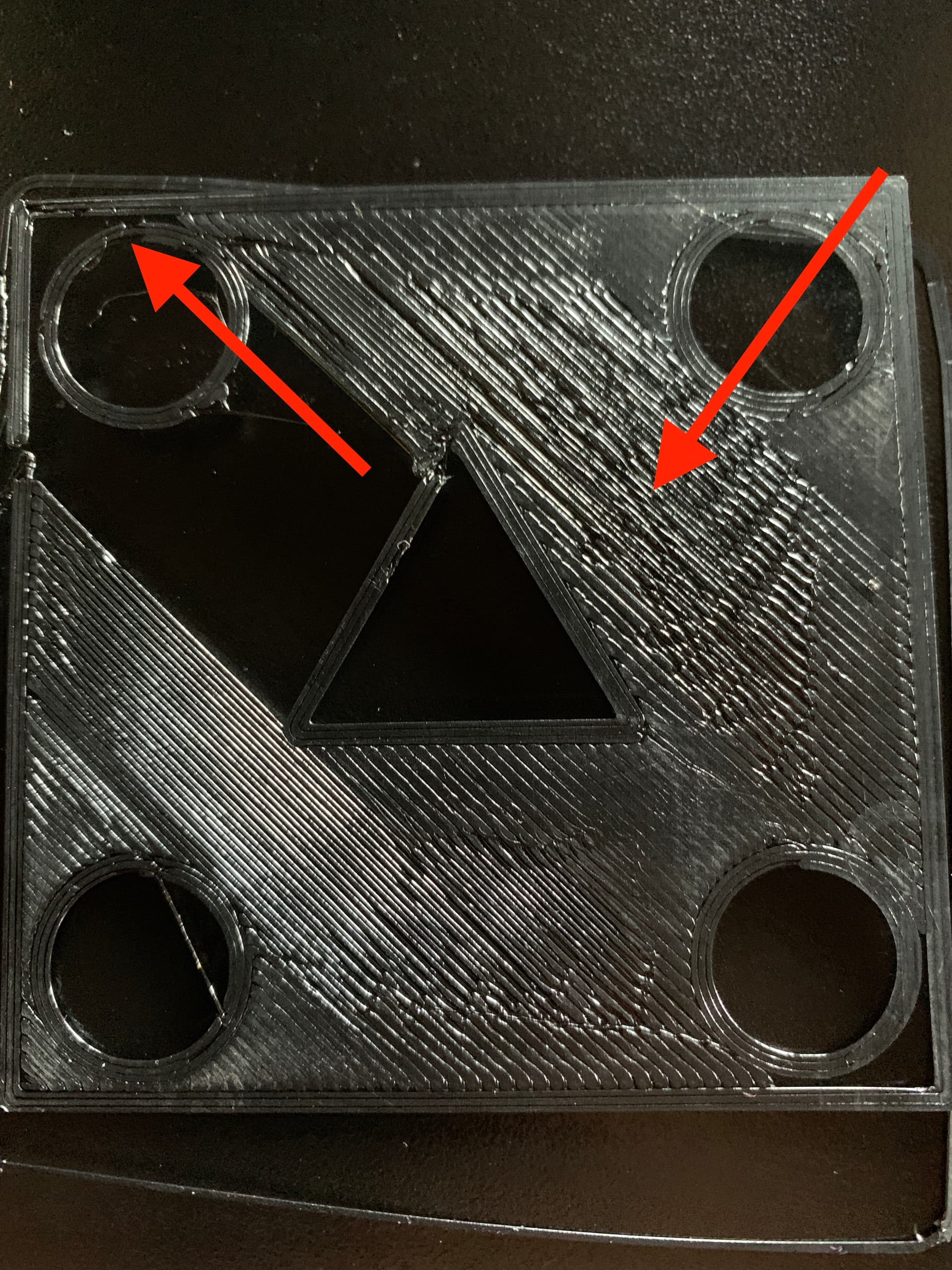
Is this image from the printer with the temperature issues?
One thing I haven’t asked you to check … (and do this when the hot-end is fully cooled down) … are both the heater-cartridge and thermistor solidly in the heat-block?
Both of these are cylindrical and slide into the heat-block and have a screw that clamps on them to hold them tight. If, for some reasons, a screw was loose then the heat-cartridge wouldn’t transfer heat efficiently or the thermistor core wouldn’t read the temperature accurately.
As for have a good filament profile … there’s a range of temperatures where a profile will “work” – even if not ideal.
Whenever I work with a brand new filament, I often like to print something called a “temperature tower”. This is a model that has several “levels” (think of it like floors on a tall building) where each “level” is printed at a different temperature. e.g. 250, then 245, then 240, 235, 230, etc. etc. and you can set the range to be reasonable based on the recommended range for the filament.
The “levels” include features to test things like regular solid walls, overhangs, bridging over gaps, and sometimes even strength tests.
Once the part is completed, it usually becomes pretty clear which temperature did the best, had the least stringing, the best strength, etc.
I outline the steps in this thread:
I find that most PLA, for example, prints perfect floors at 230°C on both my TAZ Workhorse and TAZ Pro (these are using the HE 0.5mm hardened steel nozzles … the profile might be tweaked if using brass nozzles.)
I do see other issues in your first layer. It looks like you’ve got gaps where the printer is either beginning or ending extrusion. There can be many reasons why this might happen. But I’d like to make sure foundational things like temperature are under control before going too far into the weeds.
To clarify Machine 1 is the machine that we have been working on from the beginning with this horrible first layer/ Machine 2 was the machine with the bad thermistor which it appears a firmware update fixed. Now Machine 2 is printing perfectly with the exact same filament setting used on Machine 1. It seems like Machine 1 has an issue not related to any of the things mentioned above do you know anything else that can cause it to look like this. Are you saying that the heat setting may vary from each of these printers with the exact same head?
Do both machines have the same Z-offset values?
I need to check this but the the offset had to be changed on Machine 1 after the firmware update since the print touched the bed. I have a question, why is the printer now starting with the filement change in the beginning of the G-Code? This is firmware 2.0.9.0.11
Also it appears my machine bed with this firmware goes out about a half centimeter past the homing switch causing the machine not to auto home every time. Is there a way that I can set it to move closer to the original position.
Just to conclude the thread here because I see a lot of threads that never have a followup response. I was not able to get my Taz 6’s to perform at any satisfactory level, I appreciate those who responded but it was too vague to truly troubleshoot this issue which seems direct. I hope to resume trying to fix this huge investment when I have time, right now this has pretty much tanked our project. I have ordered a new Prusa and I will report back on the dependency and do a review on youtube on both printers and companies.