So finally got my taz 5 up and running and better than ever after being down for over a month. Wish I had him when I was printing my voron parts. But I’ll reprint those again don’t like the color. And I have some good strong filament that the Taz makes short work of like Co polyester from chroma strand and ninja flex armadillo
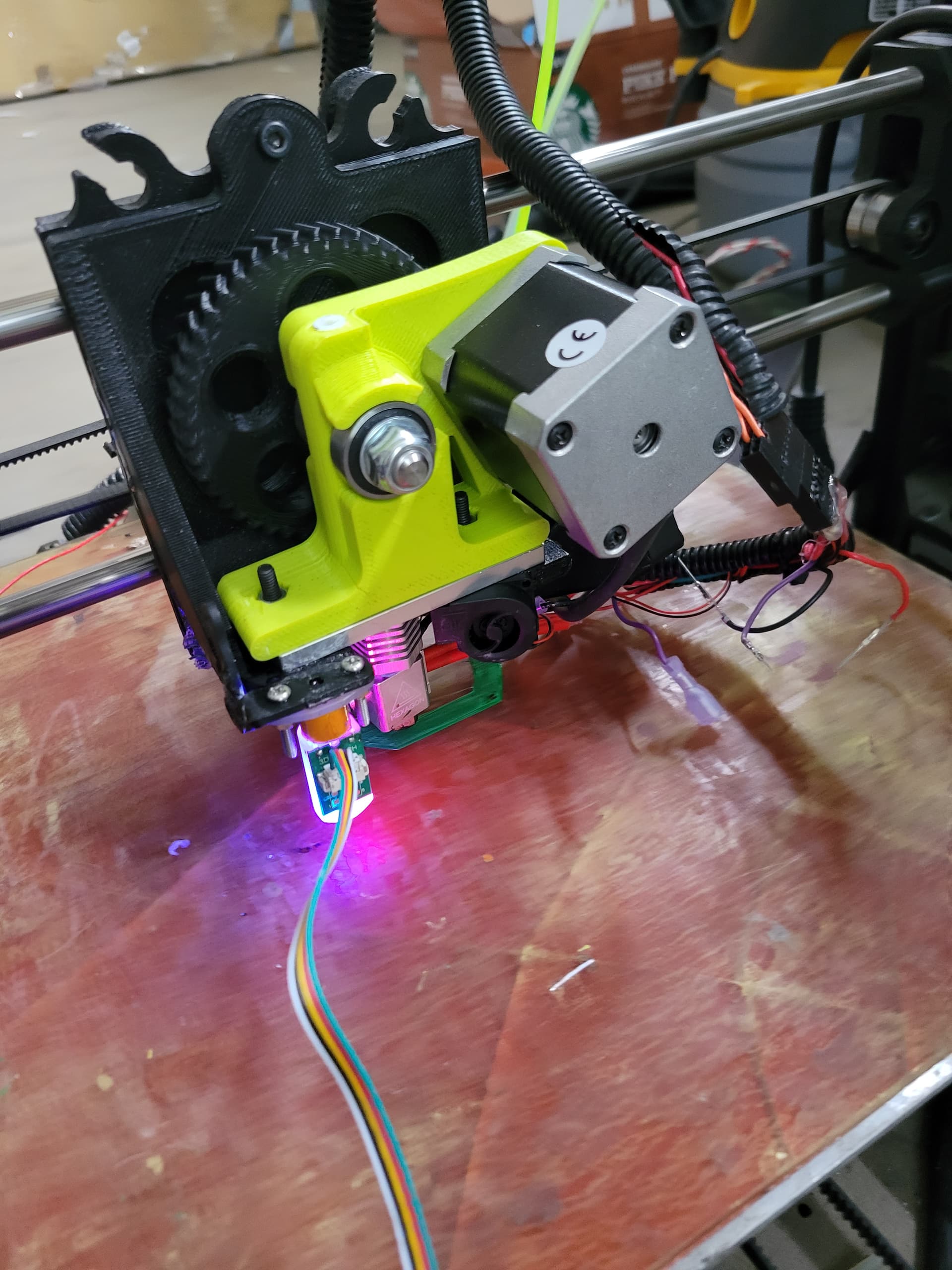
Would you share the method you used to integrate the BLTouch with the TAZ 5? I have a v1.3 RAMBo board on mine and currently use Marlin 1.0 and Arduino 1.0.5. I have modified and uploaded the firmware in the past for other hardware changes, but the BLTouch may need addition changes I am unable to find on the Internet searches
thank you,
Pat
Did you have any success with this? I’m in same boat! Thanks
It’s for a Taz 6 but the pin outs for connecting to the board should be the same as the Taz 5.
Once you eliminate the washer-based leveling system, the differences between the Taz 5 and 6 are more or less just improvements to the frame and toolhead. BLTouch firmware for a 6 works for a 5.
I’m not sure if the linked firmware in that document will even compile anymore, as it’s Marlin 1.8.x, so dependencies are likely to be broken. Even compiling some older versions of 2.x are problematic these days.
Physical install is about the same as in the document. It varies based on what toolhead you’re using, but there are several pre-built toolhead files you can find on thingiverse or printables.
As for a more modern install guide, it’s covered it fairly well in this thread here: Stock Taz 6 BL Touch add on - #3 by Samuel
boldham,
Let me know if you run into any issues or have questions on the thread where I added a BL Touch to my Taz 6. I will do what I can to help although my knowledge is limited to that thread.
Related note, but I added a BL Touch to my Workhorse and since the probe has to sit so far ahead of the nozzle, any x axis twist completely ruins the ability to get a good first layer. I’m having to manually edit my mesh to get it flat. And I don’t see how it would be possible to mount the probe (on an Aero tool head) with a 0 y offset without it either hitting the left edge before the end stop or the right edge at X max position.
If you rebuild the official lulzbot version of Marlin from their repository, you can just enable the x-axis twist wizard.
And for the Aero, I swapped mine to the the ITworks-3d aero pro design.
The main mount from this version: E3D Titan Aero "Mirror" Toolhead for LulzBot Taz by ITWorks - Thingiverse
With the shroud and BLTouch mount from this remix: ItWorks3D BL Touch Fan Duct by Zimlorog - Thingiverse
HAS_BED_PROBE is the prerequisite. I take it that refers to a BL Touch?
Nevermind, it does. In a roundabout way.
I was dead wrong about the nozzle to probe offset. What was causing my issues was the G29 J2 command doing a four point tilt. Apparently that doesn’t work very well, so replacing that with G29 J3 (9 point tilt) made the first layer flat again. The upper left corner tilt measurement was just not coming across accurately and while x twist compensation can help somewhat I don’t believe the twist compensation comes into play while G29 J is being executed.